TL;DR: A small business needs a CRM to keep every lead, follow-up and deal in one place instead of in inboxes and spreadsheets. CrmLeaf has a Free plan for one user (CRM and lead management, 100 contacts, 10 deals). Basic costs $9 per user per month and adds pipeline management, proposals and email integration. Pro costs $19 and adds invoices, contracts, a client portal and projects. Premium costs $29 and adds tickets and Workflow Automation. Annual billing lowers each price. Every account gets a 15-day free trial with no credit card. Plans and prices were checked on 4 November 2026.
Small teams lose work they have already earned. A lead waits two days for a reply. A quote sits in a draft folder. A customer asks for an update and nobody can find the last email. Customers expect fast, relevant replies, and teams need to see what is happening without asking around. A CRM (customer relationship management software) is the tool that keeps this information in one place, so nothing depends on one person's memory.
This guide explains why a small business needs a CRM today, how to use one well, and what CrmLeaf offers plan by plan. We make CrmLeaf, so we label each CrmLeaf feature with its plan. We also avoid adoption statistics, because we could not confirm a source we opened. Test the idea with your own numbers instead: count how many leads get a reply within a day before and after you start.
Business Need & Importance
Why a CRM matters for small businesses now
In a fast-moving market, the way you treat customers is often the difference between a sale and a lost lead. But how do you give good service at scale without dropping the ball? A CRM becomes the central record for every customer conversation, so sales, support and management look at the same facts.
Here is why it matters:
- Customers expect more: buyers want relevant messages and fast replies. A CRM shows the history of each contact, so whoever answers can pick up where the last person stopped.
- Data is scattered: if customer information is split between email threads, spreadsheets and chat messages, you are working half blind. A CRM puts it in one record.
- Sales and marketing need shared data: small teams cannot afford duplicated effort. A shared lead list and deal board keep everyone working from the same numbers.
Real-world industry examples
- E-commerce and retail teams need to see orders, support requests and customer notes together. A CRM holds the customer side of that picture. Order data may sit in another system, so check what your plan connects to.
- Consulting firms must reply to leads quickly, track proposals and schedule follow-ups to win deals. A pipeline with follow-up dates covers this.
- Manufacturers often want customer orders, service requests and payment history in view. A CRM can hold the customer, deal and invoice records. Inventory and ERP data usually need a separate system.
Best Practices & Actionable Tips
How to use a CRM well
A CRM only helps if the team uses it every day. These practices work for most small teams.
🔹 Centralize Customer Data from Day One
Start by importing your contacts, deals and notes into the CRM. CrmLeaf accepts CSV imports, so you do not retype them. See the import page for what you can bring in. Clean the file first: remove duplicates and fix obvious errors. Then every team member works from the same accurate list.
🔹 Automate Follow-Ups and Reminders
Set a follow-up date on every deal, so no lead depends on memory. In CrmLeaf, the CRM dashboard lists overdue follow-ups. On the Premium plan, Workflow Automation can send an email, assign an owner, create a follow-up task or send an in-app notification when a record changes. Rules follow a "When, If, Then" pattern.
🔹 Use CRM Insights to Segment and Personalize
Group your contacts by industry, deal stage, source or category, and write your messages for each group. CrmLeaf does not score leads automatically, so teams rank leads with stages, categories and notes. Keep the rules simple, such as "hot", "warm" and "cold", and review them each month.
🔹 Link CRM with Your ERP for Operational Efficiency
Many small businesses keep stock, accounting and sales in different tools. Connecting them reduces double entry, but it takes planning. In CrmLeaf, ERP and accounting integration is part of the Enterprise plan. The Premium plan connects to QuickBooks, Slack and Zapier. Decide which system owns each record before you connect anything. Confirm the details on the integrations page.
🔹 Track Sales Pipelines Visually
A Kanban board shows each deal as a card in a stage, with its value and owner. Your team sees at a glance which deals need attention. Pipeline management and the Kanban view are in the Basic plan. Read more about deal management in CrmLeaf.
🔹 Empower Your Sales Team with Mobile CRM Access
Field reps need to check details and log notes between meetings. CrmLeaf has a mobile app for this. Check the app page for the current list of what you can do on a phone, and test it on the devices your team really uses.
🔹 Set Up Alerts for Customer Activity
Alerts help your team respond at the right time. CrmLeaf email integration shows whether a message was sent, delivered, opened or replied to, and replies sync back to the deal. CrmLeaf does not track website visits or other browsing behaviour. On the Premium plan, Workflow Automation can send an in-app notification when a record changes, such as a new ticket.
🔹 Create Custom Dashboards for Leadership
Owners and managers need a quick view of the business. The CrmLeaf CRM dashboard shows open and won deals, items that need attention and overdue follow-ups. Lead and deal reports show average deal size and can be exported. The Premium plan adds a Performance Dashboard. See the reports page for the full list. A weekly look at three numbers, such as open deal value, overdue follow-ups and new leads, often replaces a long status meeting.
🔹 Automate Customer Feedback Loops
Feedback after a sale shows customers you care and gives your team ideas to improve. CrmLeaf does not send automated surveys today. You can create a follow-up task on each won deal and ask for feedback by email or phone, then record the answer in a note on the customer record.
Customer Success
Example scenario (illustrative, not a customer). Imagine a small creative agency that tracks tasks in one app, follow-ups in email and leads in a spreadsheet. Leads slip through the cracks, and follow-ups are inconsistent. The team moves its leads and contacts into one CRM, gives every deal a stage and a next follow-up date, and checks the dashboard for overdue items each morning. This story is a made-up example, not a result from a CrmLeaf customer, and we do not claim any figures for it.
To see real customer stories, visit the CrmLeaf customers page. For a practical first week, try this plan:
- Import your leads and clients from a CSV file.
- Set up pipeline stages that match how you sell.
- Add a follow-up date to every open deal.
- Send your next proposal from the CRM, so you can see when the client opens it.
- Review the dashboard together at the end of the week.
Proposals in CrmLeaf show when the client last viewed them, and they carry a status of waiting, accepted or declined. See the proposals feature page. Start a 15-day free trial of CrmLeaf, no credit card needed, and run this first week with your own data.
Key Takeaways
Skipping a CRM means relying on memory, inboxes and spreadsheets to run your sales. A CRM does not fix a weak sales process, but it makes the process visible. With CrmLeaf, you can:
- Keep contacts, leads and deals in one record.
- Follow up on time, with dashboard views of overdue items.
- Send proposals and invoices from the same account, depending on plan.
- Share one pipeline board and set of reports across the team.
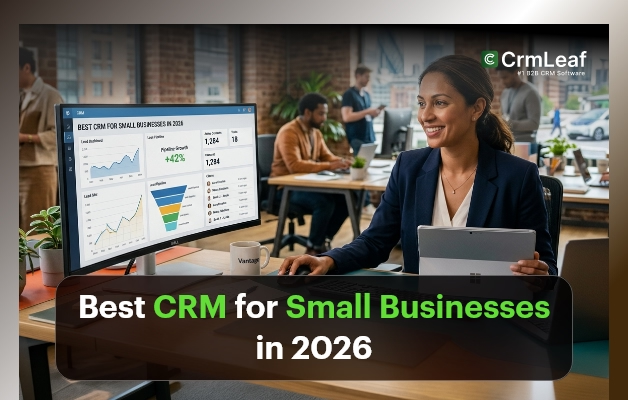
Start with the free CRM, which gives one user CRM and lead management with up to 100 contacts and 10 deals. Move to a paid plan when you need a pipeline board, proposals, invoices or tickets. You can compare every plan on the pricing page. If you are choosing between tools, our guide to the best CRM for small businesses lists what to check.
Try CrmLeaf free for 15 days and decide with your own leads in the system.
Sources
- CrmLeaf pricing page (crmleaf.app/pricing): plans, per-user prices and trial terms, checked 4 November 2026.
- CrmLeaf CRM dashboard, reports and email integration documentation, checked 4 November 2026.
- CrmLeaf customers page (crmleaf.app/customers): real customer stories, checked 4 November 2026.
Plans and prices checked on the CrmLeaf pricing page on 4 November 2026. Facts checked against CrmLeaf pricing and product documentation.