⚡ TL;DR
- BOPIS (buy online, pick up in store) works best when stock, order status and customer messages come from connected systems. A CRM covers the customer side: contacts, order follow-up, messages and staff tasks.
- CrmLeaf does not run a storefront, live store inventory or order sync. We have no documented BOPIS feature, and ERP or accounting integration is an Enterprise feature.
- What CrmLeaf can do: track each pickup order on a pipeline board (Basic, $9 per user per month), send email from the record, and, on Premium ($29), run Workflow Automation rules that assign an owner, create a task or send an email.
- Free is $0 for 1 user. Annual billing is $8.10 (Basic) and $24.80 (Premium). The free trial is 15 days, no credit card.
BOPIS CRM means using customer records to coordinate click-and-collect orders. A retailer still needs a stock system for live availability. Plans and prices were checked on 4 November 2026.
Today's shoppers expect speed and convenience. Many have tried click-and-collect, and they want it to work every time. For retailers this means managing online orders, stock, notifications and store coordination all at once.
The problem is that disconnected systems create chaos: stock mismatches, missed notifications, delayed pickups and shoppers who may not return. We removed a "68% of consumers" figure from the original post, because we could not confirm its source. The advice below does not depend on it.
In this guide you will learn:
- Why BOPIS needs a customer record and a stock source working together
- Best practices for efficient order fulfillment
- Which parts of the workflow a CRM like CrmLeaf can handle, and which it cannot
- An illustrative scenario and the numbers to track
We make CrmLeaf, so we state its limits plainly. For a retail operation, the stock and checkout side should come from your commerce platform or ERP. CrmLeaf can sit next to it for customers and follow-up.
The Business Need: Why BOPIS Demands CRM Integration
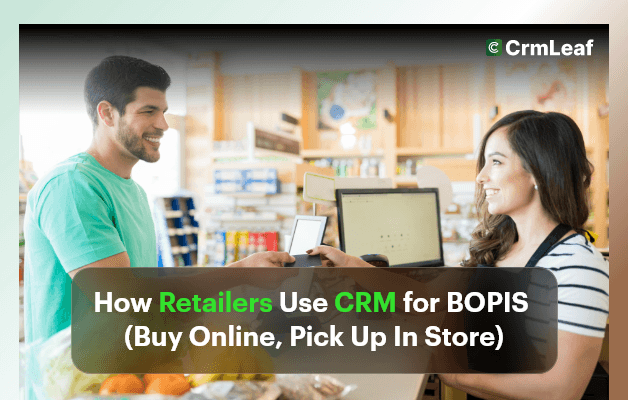
Buy Online, Pick Up In Store is no longer a trend. It is a customer expectation. Retailers who do it well win on convenience, speed and loyalty. To deliver that, you need visibility, clear handoffs and good communication.
Here is where the cracks appear for businesses that rely on spreadsheets or separate tools.
Without a connected process:
- Inventory cannot be trusted. What shows as available online may be sold out in the store.
- Customer updates get missed. Manual emails or late alerts lead to confusion.
- In-store chaos rises. Staff struggle to track orders, which means long waits and errors.
With a connected process:
- Stock comes from one source of truth, usually your commerce platform or ERP.
- Customer messages follow a set pattern, from order confirmation to pickup reminder.
- Staff have one board that shows every pending, ready or overdue order.
This matters for:
- Apparel brands that juggle size and variant availability across stores
- Pharmacies that handle prescriptions and retail orders (CrmLeaf makes no HIPAA claim, so keep regulated data in a system built for it)
- Home improvement stores that serve contractors who need quick pickups
BOPIS is not only fulfillment. It is a smooth experience from click to handover.
Best Practices to Optimize BOPIS with CRM
To succeed at BOPIS, streamline every touchpoint from the moment an order is placed to the second it is handed over. Each practice below says what the CRM does and what your stock or order system must do.
1. Keep One Source of Truth for Inventory
- Keep one stock count across your online shop, stores and warehouses.
- Avoid selling items you cannot fulfill by updating availability as sales happen.
This job belongs to your commerce platform or ERP. CrmLeaf does not document live stock sync, and ERP or accounting integration is part of Enterprise. If you need it, see the CrmLeaf integrations page and ask the team before you plan around it.
What CrmLeaf can add is the customer view: who ordered, what they were promised and what was said to them.
2. Automate Order Notifications and Pickup Alerts
- Send a message when the order is confirmed, when it is ready for pickup and before it expires.
- Add a helpful suggestion, for example: "Your camera is ready for pickup. Need a memory card too?"
In CrmLeaf, you can send email from a Deal with templates, and replies come back to the same record (Basic plan). Email works with Gmail, Outlook (OAuth) and IMAP, as listed on the email integration page.
On the Premium plan, Workflow Automation uses "When, If, Then" rules. The Then step can send an email, assign an owner, create a follow-up task, send an in-app notification, update a field or call a webhook. Rules are not behaviour-based, and SMS is not documented, so plan on email.
3. Build a Pickup Order Board for Staff
- Give the store team one view of orders that are incoming, ready or delayed.
- Use clear status names so everyone reads them the same way.
You can build this with the pipeline board. Create a pipeline with stages such as Ordered, Packed, Ready and Collected, and add each pickup as a Deal. The Kanban board (Basic plan) shows stage totals, and the CRM dashboard shows deals that need attention and overdue follow-ups. See the deal management page for how stages work.
Team members can move a Deal between stages, and the Deal history keeps a record. Automatic stage moves are not confirmed, so plan for staff to move the card. This is a manual workaround, not a built-in BOPIS screen.
Want to model your pickup stages? Start the 15-day free trial, no credit card, or see plans on the CrmLeaf pricing page.
4. Train Staff with CRM Logs and Analytics
- Use records to find pickup bottlenecks and coach staff.
- Review handling time and accuracy as a team, with fair targets.
Deal and task history shows who did what and when. The Premium plan adds a Performance Dashboard. A customer rating report is not documented, so use your own survey if you want them. Keep coaching about process, not blame.
5. Measure What Matters
Track these BOPIS measures. Some come from your commerce system and some can be tracked in a CRM:
| Measure | What it means | Where to get it |
|---|---|---|
| Pickup time | Time from "ready" to "collected" | Stage dates on the pipeline board, or your order system |
| Order fill rate | Share of orders fulfilled without errors | Your order system, with error notes on the Deal |
| Customer satisfaction | Rating after pickup | A survey tool of your choice |
| Add-on sales | Items added during or after pickup | Deal value changes, shown in deal reports |
CrmLeaf offers a CRM dashboard, lead and deal reports with average deal size and export, and a pipeline board. Browse them on the CrmLeaf reports page. A built-in CSAT report is not documented.
6. Plan Resources Based on Demand Patterns
- Look at your own history for busy pickup windows, such as weekends and lunch breaks.
- Adjust staffing and store layout to match.
CrmLeaf does not forecast demand. On the Premium plan, resource views (Resource Availability and Workload Visibility) show who has capacity, and you can use them to schedule staff once you know your busy windows from your own data.
Example Scenario: A Pickup Workflow
Example scenario (illustrative, not a customer). No real company, results or quotes are shown.
Picture a mid-sized home improvement chain with several stores. Its team struggles with late pickups and mismatched stock. It decides to fix the customer side first.
What the team might do:
- Keep stock accurate in its commerce platform or ERP.
- Track each pickup order as a Deal on a CrmLeaf pipeline with clear stages.
- Send order and pickup emails from templates, from the Deal.
- Use the CRM dashboard to see overdue follow-ups each morning.
- Review pickups weekly and adjust the stages.
We do not publish invented results. The team should write down its starting numbers, such as pickup time and late orders per week, and compare them after one month and after three months.
For real customer stories, see the CrmLeaf customers page.
Key Takeaways
If you offer Buy Online, Pick Up In Store, do not leave it to chance. A CRM helps you:
- Keep every order tied to a customer and a status
- Send clear, timely messages from one place
- Give staff a shared board and clear next steps
- Learn from your own data and improve step by step
Efficiency and experience go together. Pair a stock source you trust with a CRM that keeps customers and follow-up in order. When you are ready, take the 15-day free trial, no credit card, or review the CrmLeaf plans.
If email is the main channel for your pickup messages, read how client emails are logged in CrmLeaf.
Sources
- CrmLeaf pricing page, plans and features, checked 4 November 2026
- CrmLeaf email integration, checked 4 November 2026
- CrmLeaf Workflow Automation, checked 4 November 2026
- CrmLeaf deal management, checked 4 November 2026
Plans and prices checked on the CrmLeaf pricing page on 4 November 2026. Facts checked against CrmLeaf pricing and product documentation.