⚡ TL;DR
- PSA software focuses on managing professional-services delivery, resources, projects, time, utilization, billing, and profitability.
- ERP software manages broader business operations such as finance, procurement, inventory, supply chain, and other enterprise processes.
- Consulting and IT services firms with complex project and resource requirements may benefit from PSA functionality.
- Businesses with significant finance, procurement, inventory, manufacturing, or supply-chain requirements may need ERP capabilities.
- PSA and ERP are not necessarily competing systems; they can complement each other when integrated properly.
- The right choice depends on your business model, operational complexity, existing systems, and workflows.
As a services business grows beyond a handful of projects and spreadsheets, the software question changes from “Do we need a system?” to “Which system do we need?”
Two categories often come up: PSA (Professional Services Automation) software and ERP (Enterprise Resource Planning) software.
Both can centralize business processes, but they are designed around different operational priorities.
This guide explains the differences between PSA software and ERP, where they overlap, and which option may be more suitable for professional services firms.
What Is PSA Software
PSA stands for Professional Services Automation. It is software designed for businesses that sell people’s time, expertise, and services rather than physical products.
PSA platforms are commonly used by consultancies, agencies, IT services firms, accounting firms, legal firms, staffing companies, and other project-based businesses.
A PSA platform typically brings together:
- Project delivery: Manage milestones, tasks, and timelines for client work.
- Resource management: See availability, workload, and resource allocation.
- Time tracking: Record hours against projects, tasks, and clients.
- Utilization: Monitor billable and non-billable time.
- Capacity planning: Understand whether teams have capacity for upcoming work.
- Project profitability: Track project-level costs, revenue, and margins where supported.
- Client billing: Convert tracked time, milestones, retainers, or fixed-fee work into invoices.
The central focus is the relationship between projects, people, time, revenue, and profitability.
What Is ERP Software?
ERP stands for Enterprise Resource Planning. ERP software is designed to connect and manage broader business operations across an organization.
Depending on the vendor, industry, and implementation, an ERP platform may include:
- Finance and accounting: General ledger, accounts payable, accounts receivable, consolidation, and financial reporting.
- Procurement: Purchase orders, suppliers, and purchasing processes.
- Inventory management: Stock levels, warehouses, and inventory movement.
- Supply chain: Planning and coordinating the flow of goods and materials.
- Manufacturing: Production planning, bills of materials, and manufacturing operations where applicable.
- HR and other functions: Available on some ERP platforms, depending on the product and configuration.
Not every ERP includes every capability. Features vary significantly between vendors and editions.
For professional services businesses, ERP can be particularly relevant when financial management, procurement, multi-entity operations, or other enterprise-wide processes become complex.
PSA Software vs ERP: What’s the Difference?
The easiest way to understand PSA Software vs ERP is to compare what each system is primarily designed to manage.
| Dimension | PSA Software | ERP Software |
|---|---|---|
| Primary purpose | Deliver and manage project-based services | Manage enterprise-wide operations and finance |
| Typical users | Consultancies, agencies, IT services, professional firms | Organizations with broader operational requirements |
| Project management | Core functionality | May be available as a module |
| Resource management | Capacity, availability, and allocation | Depends on the platform |
| Utilization | Commonly a core metric | May require additional configuration |
| Time tracking | Often tied directly to projects and clients | Availability varies by platform |
| Project profitability | Often a central use case | May be handled through projects, cost centers, or other modules |
| Services billing | Time, milestones, retainers, and fixed-fee workflows | Depends on the platform and configuration |
| Accounting / GL | Often lighter or integrated with accounting software | Typically a core capability |
| Procurement | May be available, often secondary | Typically a core capability |
| Inventory / supply chain | Usually limited or absent | Commonly supported |
| Manufacturing | Not typically a core PSA function | Supported by relevant ERP platforms |
| Client/project management | Often closely connected to project delivery | Depends on the platform |
| Integrations | May integrate with accounting and ERP systems | May integrate with CRM and PSA platforms |
In simple terms, PSA is centered on project delivery and professional-services operations, while ERP is centered on broader enterprise operations and financial management
PSA vs ERP for Professional Services Firms
The best option depends heavily on the firm’s business model.
Consulting Firms
Consulting firms typically manage people, client engagements, project timelines, billable hours, and project profitability.
PSA can be a strong fit when resource allocation, utilization, time tracking, and project profitability are important operational requirements.
IT Services Firms
IT services businesses may combine project work with recurring contracts, retainers, or managed services.
PSA can help connect project delivery, resource allocation, time tracking, and billing in one workflow.
Marketing and Creative Agencies
Marketing Agencies may work on retainers, fixed-fee projects, hourly engagements, or combinations of these models.
Project-level time and budget tracking can help teams understand delivery costs and identify profitability issues.
Accounting and Advisory Firms
Accounting and advisory firms may need both professional-services workflows and deeper financial capabilities.
PSA can support engagement management, resource planning, time tracking, and client billing, while an accounting or ERP system can handle broader financial processes.
Legal Firms
Legal businesses often track time against matters and may bill clients hourly, through fixed fees, or other billing arrangements.
PSA-style workflows can support time and billing, while specialized legal or financial systems may be required for more complex requirements.
Staffing Firms
Staffing businesses can have characteristics of both professional services and high-volume operational businesses.
The right system depends on whether the primary requirement is client and placement management, project/resource workflows, payroll, financial operations, or a combination.
The common pattern is straightforward: when project delivery, people, billable time, and utilization are central to the business, PSA becomes highly relevant.
When Should a Professional Services Firm Choose PSA Software?
PSA may be the better starting point when several of these conditions apply:
- Services are the core business.
- Employees work across multiple client projects.
- Leadership actively monitors utilization.
- Resource allocation is difficult to manage.
- Project profitability is difficult to track.
- Billable time needs to flow into invoicing.
- Client engagements drive day-to-day operations.
If these challenges describe your business, PSA software may provide more specialized professional-services workflows than a general business management system.
When Should a Business Choose ERP Software?
ERP may be more appropriate when the organization’s operational requirements extend beyond professional-services delivery.
Consider ERP when you need:
- Financial consolidation across multiple entities or business units.
- Significant procurement and vendor management.
- Inventory or warehouse management.
- Supply-chain coordination.
- Manufacturing or production planning.
- Broader enterprise-wide financial and operational reporting.
This does not make ERP better or worse than PSA. It means the systems address different operational priorities.
Can Professional Services Firms Use PSA and ERP Together?
Yes.
PSA and ERP can complement each other when a business needs both specialized professional-services workflows and broader enterprise operations.
A common division of responsibilities is:
PSA handles:
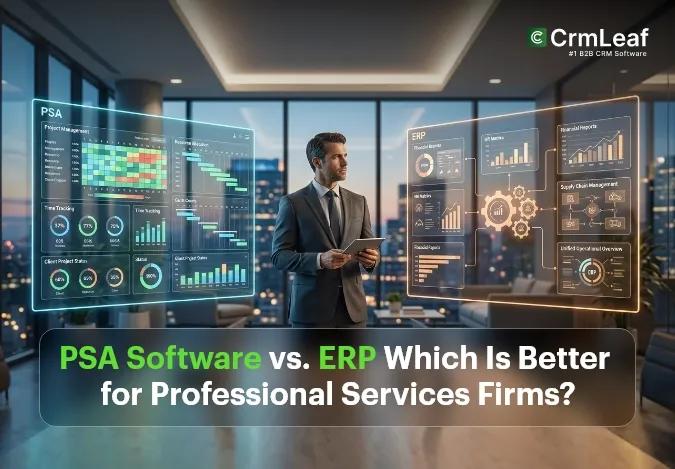
Projects → Resources → Time → Utilization → Billing
ERP handles:
Finance → Accounting → Procurement → Enterprise Operations
Integration between the systems can help transfer relevant financial and operational information without requiring teams to maintain the same data manually in multiple places.
For example, a professional services company may use PSA for project delivery and resource management while using ERP for financial consolidation, procurement, and other enterprise processes.
PSA vs ERP vs CRM: What’s the Difference?
CRM is another system category that often enters the discussion.
| System | Core Focus | Primary Data | Best Suited For |
|---|---|---|---|
| CRM | Customer relationships and sales | Leads, contacts, opportunities, deals | Sales and business development |
| PSA | Professional-services delivery | Projects, resources, time, utilization, billing | Consulting and services teams |
| ERP | Enterprise operations and finance | Finance, procurement, inventory, supply chain | Finance and operations teams |
A simplified workflow can look like this:
CRM → Win the client
PSA → Deliver the client work
ERP → Manage broader financial and operational processes
Some platforms combine multiple capabilities, while others specialize and integrate with complementary systems.
How to Choose Between PSA and ERP
Ask these questions before choosing a platform:
- What does the company primarily sell—expertise and time or physical products?
- How central are client projects to the business?
- How important is employee utilization?
- How does the business bill clients?
- Is inventory relevant?
- How significant are procurement and vendor-management requirements?
- Is manufacturing or production planning required?
- How complex are financial consolidation requirements?
- Does the company already use an ERP?
- Could a PSA platform complement the existing ERP?
- Which professional-services workflows are currently difficult to manage?
The objective is not to choose the category with the longest feature list. It is to choose the system that best addresses the organization’s actual operational problems.
PSA Software vs ERP: Which Is Better?
Neither PSA nor ERP is universally better.
Choose PSA when:
- The business primarily sells services and expertise.
- Project delivery is central to operations.
- Resource planning and utilization matter.
- Teams track billable time.
- Project profitability needs better visibility.
- Time and project data need to connect with billing.
Choose ERP when:
- Financial management is highly complex.
- Procurement is a major business process.
- Inventory or supply chain is important.
- Manufacturing is part of the operation.
- Multiple entities require centralized financial management.
- Enterprise-wide reporting is a major requirement.
Consider Both When:
- The business has significant project-delivery requirements and complex enterprise operations.
- Project teams need specialized PSA workflows.
- Finance needs centralized ERP capabilities.
- The organization needs both project-level and enterprise-level visibility.
The right answer depends on the organization’s operational model rather than the software category alone.
How CrmLeaf Supports Professional Services Firms
CrmLeaf combines CRM and professional-services capabilities to support workflows across sales, projects, resources, time tracking, and billing.
Its PSA capabilities include:
- Project management: Manage projects, milestones, and tasks.
- Resource management: Plan and allocate resources.
- Time tracking: Track time against projects and clients.
- Billing: Connect billable work with invoicing workflows.
- Client management: Maintain client and project information alongside delivery activities.
- Reporting: Use project and work data to understand delivery performance.
CrmLeaf also provides PSA-focused tutorials and use cases for professional-services workflows.
Conclusion
PSA software and ERP software solve different operational problems.
If project delivery, resource management, utilization, time tracking, and client billing are at the center of your business, PSA may be the more direct solution.
If finance, procurement, inventory, supply chain, manufacturing, or enterprise-wide operations are more central, ERP may be the better fit.
For businesses with significant requirements in both areas, PSA and ERP can work together.
The best approach is to start with your actual operational bottlenecks and then evaluate which software category addresses them most effectively.