


Did you know that businesses lose up to 30% of revenue every year due to inefficient processes and manual tasks? In fast-growing companies, sales teams spend more time entering data, tracking follow-ups, and updating spreadsheets than actually selling. That’s why Sales Automation is no longer optional — it’s a competitive necessity in 2025.
Customers expect immediate responses, accurate information, and frictionless experiences. Meanwhile, organizations require deep visibility into leads, performance, and conversion metrics.
That’s where CrmLeaf’s unified CRM + ERP ecosystem becomes a game-changer — it automates sales workflows across leads, quotes, approvals, finance, and inventory, while keeping customer experiences fast and consistent.
In this guide, you’ll learn the top 10 Sales Automation workflows that help unlock productivity, reduce costs, and accelerate growth — all future-ready with CrmLeaf.
Why Sales Automation Is Essential for Growing Businesses
As markets scale and competition intensifies, businesses face:
- Slower revenue cycles due to manual handoffs between CRM, inventory, and finance
- Data duplication and errors caused by siloed tools
- Sales delays from approvals, verification, and compliance checks
- High operational costs due to human-heavy processes
- Poor customer experience, leading to lost opportunities
Moreover:
- In manufacturing, quotation delays can lose deals worth lakhs.
- In logistics, slow lead routing can push clients to competitors.
- In retail and distribution, stock inaccuracies result in failed commitments.
Disconnected systems — like spreadsheets and isolated CRM tools — cannot support scalability.
Therefore, businesses need a single source of truth that unifies:
| Function | What Sales Needs from It | CrmLeaf Connection |
| CRM | Leads, opportunities, pipeline | Fully native |
| Inventory | Stock visibility before quoting | Integrated ERP |
| Finance | Pricing, tax, invoicing sync | Automated & secure |
| Projects | Customer delivery timelines | Seamless transfer |
| HR | Sales performance & commissions | Built-in payroll link |
With Sales Automation inside CrmLeaf:
- Every lead gets tracked.
- Every quote stays accurate.
- Every approval happens faster.
- Every customer gets a smooth buying experience.
The Top 10 Sales Automation Workflows Every Business Needs
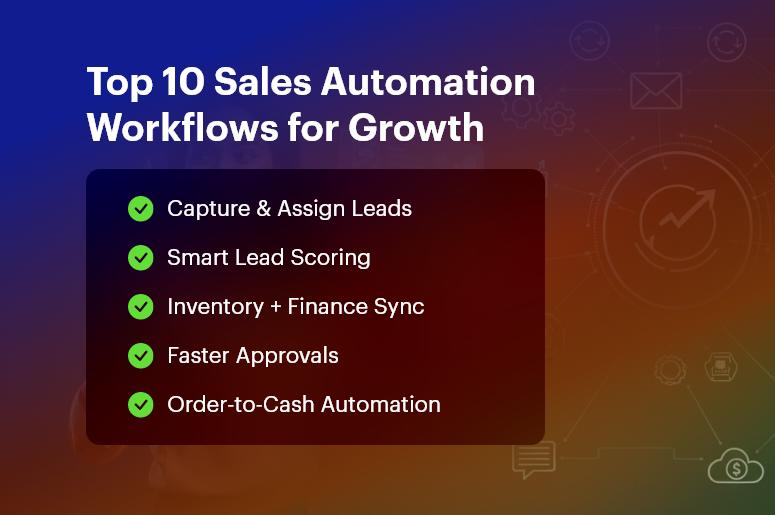
Automated Lead Capture & Assignment
Automatically pull leads from web forms, emails, social channels, and WhatsApp into CrmLeaf. Sales Automation assigns them to the right sales rep based on geography, product line, or workload, ensuring no missed opportunities.
Lead Qualification & Scoring
CrmLeaf evaluates leads based on behavior, interest, company data, and interactions. High-potential leads receive priority follow-ups, while irrelevant ones don’t drain resources — improving sales efficiency instantly.
Follow-Up Scheduling & Reminders
Never forget a follow-up again. CrmLeaf alerts reps with real-time task notifications, automated emails, and smart reminders. This ensures consistent engagement until leads convert.
Sales Pipeline Tracking & Forecasting
Visual pipeline boards update automatically as deals progress. Sales leaders get accurate forecasting dashboards to decide where to invest effort, improving win rates and planning.
Quote Generation with Real-Time Pricing
CrmLeaf links CRM + Inventory + Finance to ensure accurate pricing, taxes, and stock validation before sending quotes. This removes delays and prevents overselling or pricing errors.
Approval Workflows for Deals & Discounts
Requests like special pricing or payment terms automatically route to managers. Workflow automation shortens approval cycles from days to minutes and increases governance.
Proposal Follow-Ups & e-Signatures
CrmLeaf sends automated proposal reminders and enables digital signatures for instant closure. This accelerates decision-making and improves the customer experience drastically.
Order-to-Cash Automation
Once a deal is won → ERP triggers order creation, delivery planning, and invoice automation. Sales and finance align perfectly with zero re-entry effort.
Customer Onboarding Tasks
Sales Automation automatically hands off customer details to service or project teams. Customers experience fast, structured onboarding without repeated information sharing.
Customer Retention & Upsell Automation
CrmLeaf monitors buying behavior, renewal timelines, and support history. Trigger upsell campaigns, loyalty offers, and renewal reminders to maximize lifetime value.
Best Practices for Implementing Sales Automation Successfully
Here’s how to ensure automation drives real outcomes — not complexity.
Step-by-Step Adoption Framework
- Map current workflows, including delays and handoffs
- Connect CRM + ERP data for transparency
- Automate high-value tasks first (follow-ups, approvals, quoting)
- Upskill your teams to use automation confidently
- Measure results using dashboards and iterate regularly
Do’s and Don’ts
| Do | Why It Matters |
| Automate repetitive, manual work | Speeds up daily activities |
| Maintain clean, structured data | Improves decision-making |
| Align sales with operations | Inventory & finance stay accurate |
| Provide mobile access | Sales stays fast in the field |
| Don’t | Why It Hurts |
| Over-automate customer-first interactions | It may feel robotic |
| Use disconnected tools | Risks duplication and errors |
| Set and forget workflows | Business conditions evolve |
Quick Wins to Start With CrmLeaf
- Automate lead imports from every channel
- Use pipeline stage automation for reporting
- Setup automated email sequences for follow-up
- Enable smart approvals for discounts & quotations
Common Mistakes to Avoid
- Assuming automation replaces people — it augments them
- Lack of cross-department alignment
- Using outdated data in workflows
- Ignoring change management and training
Customer Success Story: Operational Transformation with CrmLeaf
For example, a leading manufacturing supplier in India implemented Sales Automation using CrmLeaf to eliminate delays in quoting and order approvals. They previously relied on spreadsheets and manual coordination between inventory and finance.
Within just 60 days, they achieved:
- 40% faster quote approvals
- 23% increase in conversions
- 85+ hours saved per month in admin work
- 100% visibility of product availability before commitment
Here’s how it transformed operations:
- Sales reps now get real-time pricing and stock checks
- Finance auto-generates invoices aligned to approved quotes
- Inventory teams plan dispatch without coordination delays
This is how CrmLeaf powers revenue speed + process accuracy together.
Key Takeaways
To win in modern markets, sales teams must operate fast, accurate, and connected.
Sales Automation eliminates delays, boosts conversions, and improves customer experiences.
CrmLeaf gives you everything — CRM, ERP, Finance, Inventory, and Projects — in one system so your workforce stays productive and your business stays competitive.
In short: Sales Automation is your growth engine.
Frequently Asked Questions
- What is Sales Automation and why do businesses need it?
Sales Automation uses technology to replace manual sales tasks like follow-ups, approvals, and quoting. It helps businesses work faster, reduce errors, and win more deals.
- How does Sales Automation improve accuracy?
It keeps all data synchronized across CRM, inventory, and finance. With CrmLeaf, pricing, taxation, and stock updates are automated — ensuring Sales Automation supports correct commitments.
- Will automation replace sales teams?
Not at all. It removes repetitive tasks so teams focus on high-value selling and customer relationships.
- Can Sales Automation help customer experience?
Yes! Faster responses, accurate proposals, and seamless onboarding make customers feel valued — which increases loyalty and referrals.
- Why is CRM + ERP integration important for Sales Automation?
Because sales impacts inventory, finance, delivery, and payroll. A unified platform like CrmLeaf prevents duplication and delays.
- How quickly can companies see results?
Most CrmLeaf customers see productivity improvements and quicker deal cycles in 30–90 days, depending on scope.
- Is Sales Automation expensive?
With CrmLeaf’s unified system, you remove multiple tools — making automation cost-efficient with a higher ROI.