
⚡ TL;DR
Short on time? Here is the quick version of how these CRM platforms stack up for growing businesses in 2026
- Best all-in-one CRM (CRM + projects + HRMS + payroll + helpdesk): CrmLeaf – built to replace several subscriptions with one unified platform.
- Best free CRM with marketing depth: HubSpot CRM.
- Best for large, complex enterprises: Salesforce and Microsoft Dynamics 365.
- Best value multi-tool suite: Zoho CRM.
- Best simple, sales-focused pipeline tool: Pipedrive and Freshsales.
- Best for visual, work-management teams: Monday CRM.
- Best relationship-first / lightweight CRMs: Nimble, Copper, and Insightly.
Bottom line: if your business is juggling sales, delivery, support, and people operations across separate apps, an all-in-one CRM platform such as CrmLeaf can consolidate the stack, cut costs, and unify reporting. If you only need a sales pipeline, a focused tool may serve you better and cheaper.
Customer relationship management software has quietly become the operating system of the modern business. A decade ago, a CRM was little more than a digital address book with a few deal stages bolted on. Today, the best CRM software runs the entire customer lifecycle: it captures leads, scores them with AI, routes them to the right rep, automates follow-ups, manages projects after the sale, raises support tickets when something breaks, and increasingly even handles HR and payroll for the team behind it all.
That expansion is happening for a reason. Adoption keeps climbing because growing companies have learned an expensive lesson: revenue does not live in one place. It is scattered across the marketing tool that captured the lead, the sales tool that closed it, the project tool that delivered the work, the help desk that retained the customer, and the spreadsheet that pays the people doing the work. Every handoff between those tools is a place where data leaks, context disappears, and time evaporates.
If you are a small business owner, a startup founder, a sales manager, or an operations leader, you have probably felt this firsthand. Managing leads, sales, projects, HR, and support across five or six disconnected systems means duplicate data entry, conflicting reports, integration bills, and a team that spends more time updating software than serving customers. The cost is real, and it grows with you.
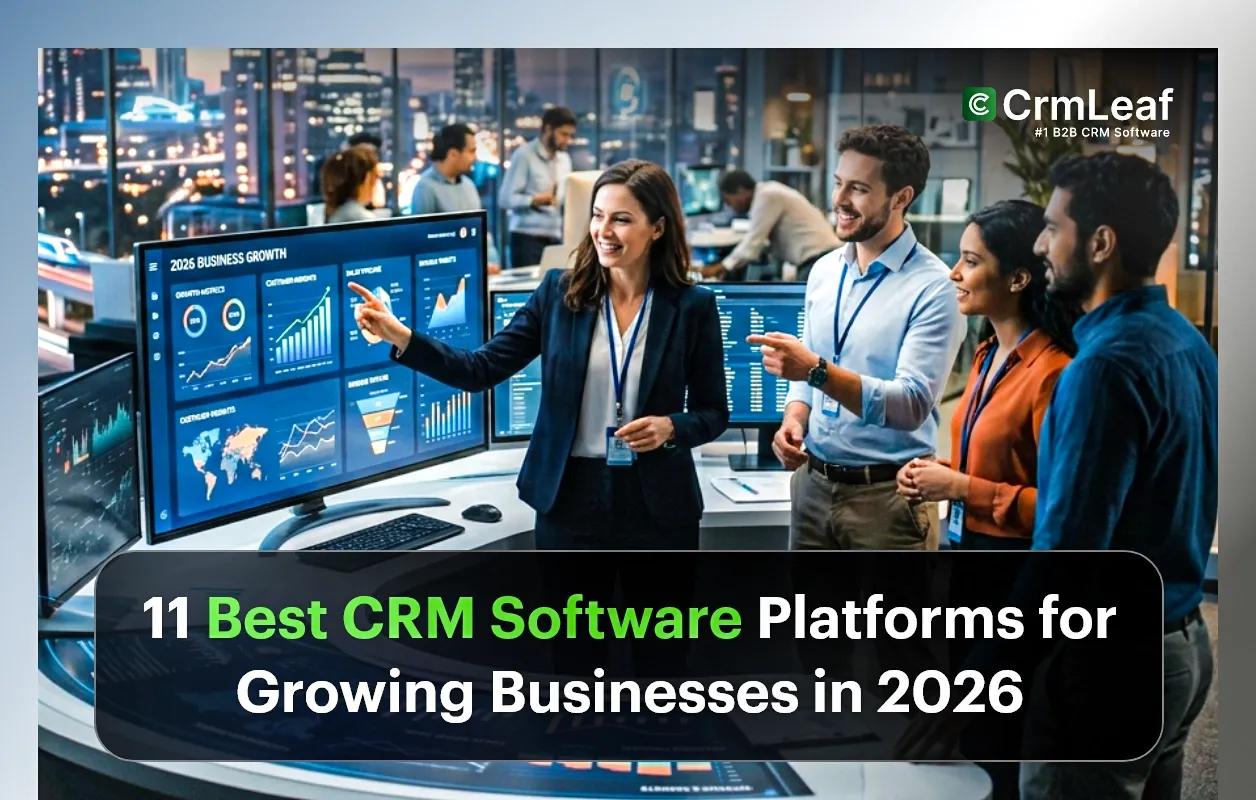
This guide compares the 11 best CRM software platforms for growing businesses in 2026. We look at traditional sales-first CRMs, marketing-led suites, enterprise giants, and the newer wave of all-in-one CRM platforms that fold project management, HRMS, payroll, and ticketing into a single system. The goal is simple: help you evaluate honestly, avoid the most common buying mistakes, and choose the platform that fits where your business is going, not just where it is today.
What growing businesses should look for in a modern CRM
- Unified data: one record for each customer that sales, support, and operations all share.
- Automation and AI: workflows and assistants that remove repetitive admin instead of adding it.
- Scalability: pricing and features that grow with headcount without forcing a painful migration.
- Breadth vs. depth: enough functionality to retire other tools, without becoming bloated.
- Total cost of ownership: the real number once add-ons, seats, and integrations are included.
How We Evaluated the Best CRM Software Platforms
Comparison articles are only useful when the scoring is transparent. We assessed each platform against nine criteria that matter most to growing companies. No vendor sponsored a placement; rankings reflect our analysis of publicly available product information, typical buyer needs, and the realities of running a scaling business.
Our evaluation criteria
- Ease of use: how quickly a non-technical team can onboard, configure, and adopt the system day to day.
- Automation: the depth and flexibility of workflow automation for sales, support, and internal processes.
- AI features: practical, built-in AI – lead scoring, summaries, drafting, forecasting – rather than gimmicks.
- Scalability: whether the platform grows from a handful of users to hundreds without re-platforming.
- Reporting: dashboards, custom reports, and a single source of truth across functions.
- Customer support: availability of onboarding, documentation, and responsive help.
- Pricing: transparency, value at the entry tier, and total cost of ownership at scale.
- Integrations: the breadth of native connectors and the quality of the API/marketplace.
- Business management features: breadth beyond sales – project management, HRMS, payroll, and helpdesk – that lets one platform retire several others.
A note on pricing: CRM vendors change plans and prices frequently, and most list prices are per user, per month, billed annually. Treat every figure below as an approximate starting point and confirm current pricing on each vendor’s site before you buy.
11 Best CRM Software Platforms for Growing Businesses in 2026
Below is the detailed breakdown. Each review follows the same format – overview, key features, pros, cons, who it is best for, and pricing – so you can compare like for like.
1. CrmLeaf – Best All-in-One CRM for Growing Businesses
CrmLeaf is a unified business management platform built around CRM rather than a sales-only tool with extras stapled on. It combines lead and pipeline management with workflow automation, an AI assistant, project management, HRMS, payroll, and ticket management in a single system. The premise is straightforward: instead of paying for and integrating a separate CRM, project tool, help desk, and HR/payroll system, a growing business can run those functions on one platform with one shared customer and employee record. That consolidation is exactly what mid-stage SMBs tend to need as they outgrow point tools but are not ready for the cost and complexity of stitching together enterprise suites.
Key Features
- Lead and sales pipeline management with customizable stages and deal tracking.
- Workflow automation to remove repetitive sales, support, and internal tasks.
- Built-in AI assistant for drafting, summaries, and productivity across modules.
- Native project management to deliver work after the deal closes – without a second app.
- HRMS for employee records, onboarding, leave, and people operations.
- Payroll management is connected to the same employee data.
- Ticket management/helpdesk so support history lives on the customer record.
- Unified reporting and analytics spanning sales, projects, support, and people.
Pros
- Genuinely all-in-one – can replace several separate subscriptions.
- Single source of truth: customer, project, and support data in one place.
- Lower total cost of ownership than assembling an equivalent multi-tool stack.
- Less integration overhead and fewer data silos to maintain.
- Well-suited to SMBs and growing teams that want operations consolidated.
Cons
- Newer and less widely known than incumbents like Salesforce or HubSpot.
- Very large enterprises with deep niche requirements may still need specialist tools.
- Smaller third-party app marketplace than the largest legacy ecosystems.
Best For: Growing businesses, SMBs, and operations-led teams that want to run sales, delivery, support, and people management on one unified platform instead of a patchwork of apps.
Pricing Overview: Positioned as a cost-effective all-in-one alternative to running multiple subscriptions. Because plans and tiers change, confirm current pricing directly at https://www.crmleaf.app/pricing
2. HubSpot CRM
HubSpot built its reputation on inbound marketing, and its CRM remains one of the most polished, approachable platforms on the market. The free tier is genuinely useful, and the paid Sales, Marketing, Service, and Operations “Hubs” layer on automation, content tools, and reporting. For companies whose growth engine is content, email, and demand generation, HubSpot is hard to beat – though costs can escalate quickly as contact counts and required Hubs grow.
Key Features
- Free CRM with contact, deal, and task management.
- Strong marketing automation, email, and landing-page tools.
- Breeze AI for content drafting, summaries, and assistance.
- Service Hub for ticketing and customer support.
- Large app marketplace and well-documented APIs.
Pros
- Best-in-class ease of use and onboarding.
- Excellent free tier to start, with a clear upgrade path.
- Deep marketing functionality unmatched by most rivals.
Cons
- Costs rise sharply at higher tiers and contact volumes.
- No native HRMS or payroll.
- Advanced features are gated behind premium Hubs.
Best For: Marketing-led startups and SMBs that prioritize inbound, content, and demand generation.
Pricing Overview: Free CRM available; paid Starter plans commonly start around $10 per seat/month, with Professional tiers significantly higher.
3. Salesforce
Salesforce is the most powerful and customizable CRM on the planet, and the default choice for large enterprises with complex sales processes. Its Sales Cloud, Service Cloud, and Einstein AI capabilities are deep, and the AppExchange ecosystem is unmatched. That power comes with complexity and cost: most organizations need an administrator or consultant to configure and maintain it, which puts it out of reach for many smaller teams.
Key Features
- Highly customizable objects, workflows, and processes.
- Einstein AI for forecasting, lead scoring, and insights.
- Massive AppExchange marketplace of integrations.
- Enterprise-grade reporting and territory management.
- Robust security, governance, and admin controls.
Pros
- Unrivaled flexibility and depth for complex needs.
- Scales to the largest, most sophisticated organizations.
- Enormous partner and integration ecosystem.
Cons
- Steep learning curve and high configuration overhead.
- Expensive, especially once add-ons are included.
- Often requires dedicated admins or consultants.
Best For: Mid-market and enterprise sales organizations with complex processes and a budget for customization.
Pricing Overview: Sales Cloud typically starts around $25 per user/month for entry tiers, rising steeply for Professional, Enterprise, and add-ons.
4. Zoho CRM
Zoho delivers exceptional value, especially for organizations already leveraging its ecosystem of more than 50 applications covering finance, HR, project management, and customer support. The CRM platform includes advanced automation, the Zia AI assistant, and extensive customization capabilities while remaining significantly more affordable than many enterprise alternatives. However, building a fully unified business platform often requires deploying and connecting several Zoho applications, which can increase implementation time and setup complexity.
Key Features
- Zia AI assistant for predictions, anomaly detection, and suggestions.
- Strong workflow automation and customization.
- Tight integration with the broader Zoho ecosystem (Projects, People, Books).
- Multichannel engagement across email, social, and chat.
- Competitive, transparent pricing.
Pros
- Outstanding value for money.
- Broad capability when combined with other Zoho apps.
- Generous free tier for very small teams.
Cons
- A full suite requires stitching several apps together.
- The interface can feel dense compared to simpler rivals.
- Support quality varies by plan.
Best For: Budget-conscious SMBs that want broad capability and are comfortable configuring a multi-app suite.
Pricing Overview: Free for up to 3 users; paid Standard plans commonly start around $14 per user/month, billed annually.
5. Pipedrive
Pipedrive is purpose-built for sales teams who want a clean, visual pipeline and minimal distraction. It is one of the easiest CRMs to adopt, with intuitive drag-and-drop deal stages and just enough automation to keep deals moving. It deliberately avoids becoming an everything-platform, which is a strength for focused sales teams and a limitation for companies wanting projects, HR, or support in the same tool.
Key Features
- Visual, drag-and-drop sales pipeline.
- Sales-focused automation and activity reminders.
- AI sales assistant for tips and deal insights.
- Customizable stages, fields, and reports.
- Solid mobile app for field sales.
Pros
- Extremely easy to learn and adopt.
- Clean, distraction-free interface.
- Affordable for small sales teams.
Cons
- Limited beyond core sales – no native projects, HR, or payroll.
- Marketing features are basic.
- Heavier needs require add-ons or integrations.
Best For: Small and mid-sized sales teams that want a focused, easy pipeline tool.
Pricing Overview: Entry plans commonly start around $14 per user/month billed annually.
6. Freshsales
Part of the Freshworks family, Freshsales pairs an approachable interface with built-in phone, email, and the Freddy AI assistant. It offers strong value for SMB sales teams and connects neatly with Freshdesk for support and Freshmarketer for campaigns. As with Zoho, the broadest capability comes from combining Freshworks products rather than from Freshsales alone.
Key Features
- Built-in phone and email with activity tracking.
- Freddy AI for lead scoring and insights.
- Workflow automation and sales sequences.
- Integrates with Freshdesk and Freshmarketer.
- Clean, modern interface.
Pros
- Strong value and a usable free tier.
- Quick to set up and learn.
- Good fit within the wider Freshworks suite.
Cons
- Advanced features need higher tiers.
- No native HR or payroll.
- Reporting is lighter than enterprise tools.
Best For: SMB sales teams wanting an affordable, modern CRM with built-in communication.
Pricing Overview: Free tier available; paid plans commonly start around $9–$11 per user/month, billed annually.
7. Monday CRM
Monday CRM is built on the monday.com work-management platform, so it shines for teams that think in boards, automations, and visual workflows. It blends pipeline management with flexible project tracking, making it appealing to companies that want sales and delivery in one colorful, configurable workspace. It is less specialized than dedicated sales CRMs but more versatile for cross-functional work.
Key Features
- Highly visual, customizable boards and views.
- Pipeline plus project and task management in one workspace.
- No-code automation recipes.
- AI features for drafting and task assistance.
- Strong collaboration and dashboards.
Pros
- Excellent flexibility and visual clarity.
- Unifies sales and project work well.
- Easy no-code automation.
Cons
- Less depth in pure sales features than in dedicated CRMs.
- No native HRMS or payroll.
- Costs add up with premium features and seats.
Best For: Cross-functional teams that want sales and project work managed visually together.
Pricing Overview: CRM plans commonly start around $12–$15 per seat/month, billed annually (3-seat minimums are common).
8. Microsoft Dynamics 365
Dynamics 365 is Microsoft’s enterprise CRM and ERP family, and it is a natural fit for organizations standardized on Microsoft 365, Teams, and Azure. It offers deep sales, service, field service, and operations capabilities with Copilot AI woven throughout. Like Salesforce, its power comes with complexity, licensing intricacy, and a need for skilled administrators.
Key Features
- Deep native integration with Microsoft 365 and Teams.
- Copilot AI across sales and service workflows.
- Modular apps for sales, service, field service, and finance.
- Enterprise-grade analytics with Power BI.
- Strong governance and compliance tooling.
Pros
- Seamless for Microsoft-centric organizations.
- Extremely capable and scalable.
- Powerful analytics through the Power Platform.
Cons
- Complex licensing and higher entry cost.
- Requires significant configuration expertise.
- Overkill for many small businesses.
Best For: Mid-market and enterprise organizations already invested in the Microsoft ecosystem.
Pricing Overview: Sales Professional commonly starts around $65 per user/month, with Enterprise and additional modules priced higher.
9. Insightly
Insightly stands out among mid-market CRMs for pairing pipeline management with native project management, making it useful for businesses that deliver projects after closing deals. It offers relationship linking, custom apps, and solid reporting. Its AI and automation are more modest than the market leaders’, but the CRM-plus-projects combination is a genuine differentiator at its price point.
Key Features
- Native project management linked to opportunities.
- Relationship and record linking for context.
- Workflow automation and custom dashboards.
- AppConnect for integrations.
- Custom objects and apps.
Pros
- Bridges sales and post-sale delivery well.
- Good customization for the price.
- Useful for project-based businesses.
Cons
- AI capabilities are limited.
- The interface feels dated to some users.
- Higher tiers needed for advanced features.
Best For: Project-based SMBs that want CRM and delivery in one tool.
Pricing Overview: Paid plans commonly start around $29 per user/month, billed annually.
10. Nimble
Nimble is a lightweight, relationship-focused CRM that excels at unifying contacts from email and social media into rich profiles. It is ideal for solopreneurs, consultants, and small teams who sell through relationships rather than rigid pipelines. It is intentionally simple, so teams needing heavy automation, projects, or support tooling will outgrow it.
Key Features
- Social and email contact enrichment.
- Unified contact profiles and activity history.
- Simple pipeline and task management.
- Browser and inbox widgets for quick capture.
- Group messaging and templates.
Pros
- Excellent for relationship-driven selling.
- Quick to set up and very approachable.
- Strong contact intelligence.
Cons
- Limited automation and reporting.
- Not suited to complex sales operations.
- No projects, HR, or payroll.
Best For: Solopreneurs, consultants, and small relationship-led teams.
Pricing Overview: Plans commonly start around $30 per user/month, billed annually.
11. Copper CRM
Copper is designed to live inside Google Workspace, surfacing CRM data directly in Gmail and Google Calendar. For teams that run on Google, it removes friction by capturing contacts and activity automatically from email. It offers light project tracking and automation, but it is less suited to companies needing deep, cross-functional capability.
Key Features
- Deep Gmail and Google Workspace integration.
- Automatic contact and activity capture from email.
- Pipeline management and light project tracking.
- Workflow automation for routine tasks.
- Clean, Google-style interface.
Pros
- Effortless for Google Workspace teams.
- Minimal manual data entry.
- Pleasant, familiar interface.
Cons
- Most valuable only within the Google ecosystem.
- Limited advanced AI and reporting.
- No native HR or payroll.
Best For: Small businesses and agencies that run entirely on Google Workspace.
Pricing Overview: Plans commonly start around $12 per user/month, billed annually (often with seat minimums).
Why Businesses Are Replacing Traditional CRM Systems
Traditional, sales-only CRMs solved a narrow problem well: tracking deals. But growing businesses run on more than deals, and the cracks show as the company scales. Here is why so many teams are rethinking the single-purpose CRM.
SaaS sprawl
The average growing business now runs dozens of SaaS subscriptions. Each new tool seems cheap in isolation, but together they create a sprawling estate that is expensive to license, hard to govern, and exhausting to administer. Consolidating overlapping tools into a unified platform is one of the fastest ways to reduce both cost and chaos.
Data silos
When sales data lives in one app, support tickets in another, and project status in a third, no one has the full picture of a customer. A salesperson cannot see open support issues; a project manager cannot see the commitments made during the sale. These silos lead to dropped balls, repeated questions, and frustrated customers.
Integration complexity
Stitching tools together with connectors and middleware helps, but every integration is something to build, monitor, and fix when an API changes. Integrations break quietly, sync the wrong fields, and create duplicate records. The more tools you connect, the more fragile the whole system becomes.
Rising subscription costs
Per-seat pricing compounds as you grow. Add premium tiers, add-ons, and overage charges across five tools, and the monthly bill balloons. Many businesses discover they are paying for overlapping features across multiple vendors – paying twice for automation, reporting, or storage they could get once from a unified platform.
Fragmented reporting
Perhaps the biggest hidden cost is reporting. When data is scattered, leadership cannot get a single, trustworthy view of the business. Teams spend hours exporting spreadsheets and reconciling numbers that never quite match. A unified platform produces one consistent set of reports across sales, delivery, support, and people.
Benefits of Choosing an All-in-One CRM Platform
An all-in-one CRM platform consolidates the systems a growing business depends on into a single, shared environment. The advantages compound as you scale.
Unified Customer Data
One record per customer, visible to everyone who needs it. Sales sees support history, support sees the deal context, and operations sees the project status – all without switching tools or asking colleagues for an update. Unified data is the foundation for everything else that is built.
Sales Automation
Automated lead capture, assignment, follow-up sequences, and deal-stage updates keep your pipeline moving without manual busywork. Reps spend their time selling, not updating fields, and nothing slips through the cracks because the system handles the routine.
Project Management Integration
When a deal closes, the work begins. With project management built into the CRM, that handoff is seamless: the won deal becomes a project, the customer context travels with it, and delivery teams work from the same record sales used. No re-keying, no lost details.
Employee Management
Built-in HRMS keeps employee records, onboarding, leave, and people data in the same system that runs the rest of the business. Managers stop chasing spreadsheets, and HR processes connect naturally to the teams doing the work.
Payroll Management
Payroll tied to the same employee data removes a fragile, error-prone handoff between HR and finance. Hours, roles, and changes flow from one source, reducing mistakes and the reconciliation work that eats finance teams’ time.
Customer Support Management
Integrated ticket management means support history lives on the customer record. Agents see the full relationship – purchases, projects, past issues – and sales and success teams can see open tickets before they walk into a renewal conversation.
Workflow Automation
Cross-functional workflow automation is where unified platforms pull ahead. A single automation can move a deal, create a project, notify a team, and open or close tickets – because all of those objects live in one system. Siloed tools simply cannot orchestrate across boundaries this cleanly.
AI-Powered Productivity
An AI assistant that can see across sales, projects, support, and people data gives far more useful help than one confined to a single function. It can summarize an account holistically, draft a reply informed by full context, and surface risks that only appear when data is connected.
Why CrmLeaf Stands Out for Growing Businesses
Most CRMs in this guide are excellent at what they were designed to do – but most were designed to do one thing. CrmLeaf takes a different approach by uniting the core systems a growing business runs on. Here is how its capabilities map to the needs we have discussed, kept in comparison context rather than as a sales pitch.
- Lead Management: captures, organizes, and qualifies leads so nothing falls through the cracks as volume grows.
- Sales Pipeline Management: customizable stages and deal tracking give a clear, real-time view of revenue in motion.
- Workflow Automation: automations span sales, support, and internal processes – not just one function – because the objects live together.
- AI Assistant: built-in AI helps draft, summarize, and speed up work across modules, informed by connected data.
- Project Management: deliver work after the sale in the same platform, so customer context carries into delivery.
- HRMS: manage employee records, onboarding, and people operations alongside the customer-facing side of the business.
- Payroll: connected to the same employee data, reducing handoffs and errors between HR and finance.
- Ticket Management: support history attaches to the customer record, giving every team the full relationship picture.
- Reporting & Analytics: one consistent set of dashboards across sales, projects, support, and people.
- Unified Platform Benefits: fewer subscriptions, fewer integrations, fewer silos, and a lower total cost of ownership.
The honest framing: CrmLeaf will appeal most to growing SMBs that feel the pain of running operations across several disconnected tools. A large enterprise with deep, specialized requirements may still prefer best-of-breed systems. But for the broad middle – companies scaling past point tools yet wary of enterprise complexity – a unified platform is an increasingly compelling fit.
How to Choose the Right CRM Software for Your Business
The “best” CRM is the one that fits your team, your processes, and your trajectory. Work through this buyer checklist before you commit.
- Map your processes first. Document how leads, deals, delivery, support, and people data flow today before evaluating tools.
- Define must-haves vs. nice-to-haves. Separate dealbreakers (e.g., native payroll) from preferences to avoid being dazzled by features you will never use.
- Count the real total cost. Add up seats, tiers, add-ons, and the tools this CRM could replace – then compare like for like.
- Test ease of use with real users. Run a trial with the people who will actually use it daily, not just decision-makers.
- Check automation and AI depth. Confirm the platform can automate your specific repetitive tasks, not just demo-friendly ones.
- Verify integrations you depend on. Make sure your essential tools connect natively or via a reliable API.
- Assess scalability. Ask what changes at 10, 50, and 200 users – in both features and price.
- Evaluate reporting. Confirm you can build the dashboards leadership needs from a single source of truth.
- Review onboarding and support. Strong onboarding determines whether the tool is actually adopted.
- Plan your data migration. Understand how existing data will move in cleanly before you sign.
Common CRM Buying Mistakes to Avoid
Most CRM regrets trace back to a handful of avoidable errors. Watch for these.
- Buying for features, not needs. Long feature lists impress in demos but matter only if they solve your actual problems.
- Ignoring the total cost of ownership. Entry prices hide the real bill once seats, add-ons, and integrations stack up.
- Underestimating adoption. The best CRM is the one your team actually uses; ease of use is not optional.
- Skipping the trial with real users. Decisions made without frontline input lead to abandoned tools.
- Choosing tools that create new silos. Adding a CRM that does not talk to your other systems just moves the problem.
- Neglecting data migration planning. Messy or failed migrations poison trust in the new system from day one.
- Over-customizing too early. Heavy configuration before you understand your needs creates brittle, costly setups.
- Forgetting scalability. A tool that fits today but not in two years means another painful migration.
- Overlooking reporting needs. If leadership cannot get trustworthy reports, the CRM fails its most important job.
- Ignoring automation potential. Buying a CRM and using it as a static database wastes most of its value.
- Discounting support and onboarding. Poor vendor support during rollout stalls adoption and momentum.
- Letting price be the only factor. The cheapest tool is expensive if it fails to fit or scale.
CRM Trends Shaping 2026
The CRM category is evolving fast. These are the forces defining the best platforms this year.
AI-powered CRM
AI has moved from buzzword to baseline. The leading CRMs now embed assistants that draft messages, summarize accounts, score leads, and automate decisions. In 2026, AI quality is a primary differentiator rather than a bonus feature.
Predictive analytics
CRMs increasingly forecast outcomes – which deals will close, which customers will churn, which leads deserve attention – turning historical data into forward-looking guidance that helps teams act before problems surface.
Unified platforms
The clearest structural trend is consolidation. Buyers are tired of SaaS sprawl and are choosing platforms that combine CRM with projects, support, and people operations to cut costs and complexity.
No-code automation
Automation is being democratized. No-code builders let non-technical users create sophisticated workflows, so improvement no longer waits on developers or admins.
Mobile CRM
With distributed and field teams the norm, full-featured mobile access is expected. The best platforms deliver near parity between desktop and mobile, not a stripped-down app.
Customer data platforms
The line between CRM and customer data platform is blurring. Modern CRMs aim to be the single, trusted home for all customer data – unifying every touchpoint into one profile that powers personalization and analytics.
Conclusion: Which CRM Should You Choose?
There is no universal CRM that works best for every business—success depends on your goals, processes, and growth stage. Marketing-driven organizations often benefit from HubSpot’s powerful automation and inbound marketing capabilities, while large enterprises typically choose Salesforce or Microsoft Dynamics 365 for their advanced customization and scalability. Businesses seeking strong value across sales, marketing, and operations frequently turn to Zoho CRM. For teams that prioritize straightforward pipeline management, Pipedrive and Freshsales provide an intuitive experience, whereas Monday CRM stands out for visual project and workflow collaboration. Meanwhile, Nimble, Copper, and Insightly serve specialized use cases, making them strong choices for businesses with specific relationship management requirements.
But if your real challenge is that sales, projects, support, and people operations are scattered across too many disconnected tools – with the duplicate work, broken integrations, and fragmented reporting that come with it – then an all-in-one CRM platform like CrmLeaf deserves a serious look. Consolidating onto one unified system reduces cost, eliminates silos, and gives you a single source of truth as you scale.
Recommendation: shortlist two or three platforms that match your must-haves, run trials with the people who will use them daily, and compare the total cost of ownership honestly. For growing SMBs feeling the weight of SaaS sprawl, start that shortlist with a unified platform – and verify current capabilities and pricing directly with each vendor before deciding.