
⚡Key Takeaways
- Businesses are replacing multiple SaaS tools because disconnected systems create data silos, duplicate work, reporting issues, and rising software costs.
- A unified CRM platform centralizes CRM, project management, HR, payroll, billing, and customer support into one connected system.
- Consolidation improves productivity by reducing app switching, eliminating manual data entry, and providing a single source of truth across teams.
- AI-powered automation works better on unified platforms because it can access customer, project, and employee data from one database.
- CrmLeaf helps businesses consolidate operations by combining CRM, projects, HR, payroll, invoicing, support, and workflow automation in a single platform.
Introduction
The average business now runs on a sprawling stack of cloud subscriptions. Industry surveys consistently show that small and mid-sized companies juggle dozens of separate SaaS applications, while larger organizations often pass the hundreds. For most teams, the day starts with logging into one tool for customer records, another for projects, a third for support tickets, and yet more for HR, payroll, and sales tracking.
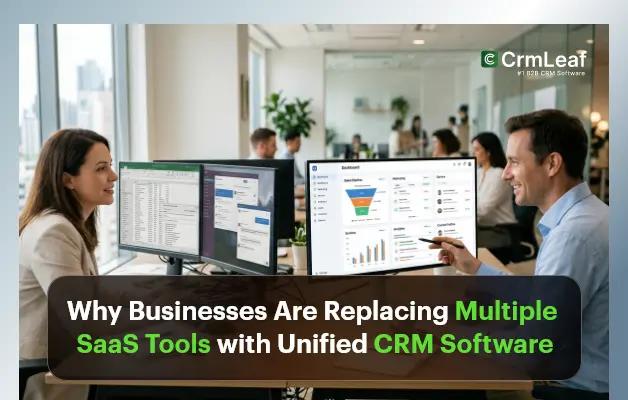
Each of those tools was adopted for a good reason. But stacked together, they create a quiet tax on productivity. Data lives in separate places, reports never quite line up, and staff spend more time moving information between systems than acting on it. That friction is exactly why a growing number of businesses are pursuing SaaS consolidation – replacing their patchwork of apps with a single unified CRM platform that doubles as their core business management software.
Why are businesses replacing multiple SaaS tools? Disconnected apps create data silos, duplicate work, rising costs, and reporting headaches. A unified platform centralizes CRM, projects, HR, and payroll so teams work from one accurate dataset, spend less, and move faster.
The SaaS Explosion Problem
Cloud software made it cheap and fast to solve almost any business problem. The downside is that it also made it easy to accumulate tools no one fully owns. The result is a familiar set of pain points:
- Software fatigue: staff constantly switch contexts between apps, each with its own login, layout, and logic.
- Data silos: customer, project, and employee data sit in separate databases that rarely talk to each other.
- Duplicate data entry: the same client or invoice is keyed into several systems, multiplying the chance of error.
- Integration issues: connectors break, APIs change, and “it should sync automatically” quietly stops being true.
- Rising subscription costs: per-user fees across six or seven products add up fast, especially as headcount grows.
- User adoption challenges: employees avoid tools that feel redundant, leaving expensive licenses unused.
The Hidden Cost of Multiple Software Tools
The subscription line item is only the visible part of the bill. The real expense hides in the time and risk created by fragmentation.
A real-world pattern. Consider a 30-person solar installation company. Sales uses one CRM, the install crew tracks jobs in a project app, HR keeps records in spreadsheets, and payroll runs through a fourth system. When a customer calls about their installation date, the rep has to check two tools and message the operations lead. A single status update can take fifteen minutes that should take fifteen seconds.
Multiply that across hundreds of daily interactions, and the cost becomes clear:
- Operational inefficiency: processes stall at the seams between systems.
- Employee productivity loss: studies routinely estimate that workers lose a meaningful share of each week simply switching between applications and re-finding information.
- Reporting complexity: leadership exports data from several tools and reconciles it by hand, often in spreadsheets.
- Security risks: every additional app is another set of credentials, permissions, and potential breach points to monitor.
- Maintenance overhead: someone has to manage renewals, updates, and broken integrations across the entire stack.
Why Businesses Are Moving Toward Unified Platforms
A unified platform replaces the patchwork with one connected system. The benefits compound because every department draws from the same data:
- Single source of truth: one record per customer, project, and employee that everyone trusts.
- Centralized customer data: sales, support, and operations see the full history without asking around.
- Better collaboration: teams hand off work inside the same tool instead of across email and chat.
- Easier reporting: dashboards pull live data from every module, no manual exports.
- Reduced costs: one subscription replaces many, and integration maintenance disappears.
- Improved productivity: less switching and re-entry means more time on actual work.
Features Businesses Should Look for in a Unified CRM Platform
Not every all-in-one CRM is built the same. When evaluating business management software or sales automation software, look for these core capabilities in a unified CRM platform:
- Lead management: capture, score, and route leads from a single inbox.
- Deal management: track every opportunity from first contact to close, with values, owners, and stages in one view.
- Sales pipeline: visual stages that show exactly where every deal stands.
- Invoicing & billing: generate invoices, handle recurring and resource-based billing, and tie revenue back to the right customer and project.
- Expenses tracking: log and approve expenses against projects so margins stay accurate.
- Ticketing & support: manage customer requests in the same system that holds their full history.
- Workflow automation: trigger tasks, emails, and updates across departments automatically.
- AI assistance: predictive lead scoring, smart summaries, and suggested next steps.
- Project management: plan, assign, and track delivery alongside customer records.
- HR management: employee records, time tracking, and onboarding in one place.
- Payroll management: run payroll using the same hours and project data your teams already log.
- Reporting & analytics: unified dashboards covering sales, operations, and finance.
- Custom workflows: adapt the platform to your industry instead of the other way around.
Can CRM software manage payroll and projects? Yes. Unified CRM platforms increasingly bundle project management, HR, and payroll alongside sales. Because all modules share one database, payroll can draw from logged project hours and HR records, cutting manual entry and keeping every team aligned.
Unified CRM vs Traditional CRM
A traditional CRM was designed to manage contacts and close deals. A unified CRM platform extends that foundation to run the whole business. The difference is stark:
|
Capability |
Traditional CRM |
Unified CRM Platform |
|
Core focus |
Contacts & sales pipeline only |
CRM plus operations, HR, payroll & projects |
|
Data model |
Customer data lives in silos |
Single source of truth across teams |
|
Integrations |
Relies on 3rd-party connectors |
Native modules, no glue code |
|
Project management |
Separate tool required |
Built in |
|
HR & payroll |
Not available |
Included in the ecosystem |
|
Automation |
Basic, sales-only triggers |
Cross-department workflow automation |
|
Reporting |
Sales metrics in isolation |
Company-wide unified dashboards |
|
Total cost |
Multiple subscriptions stack up |
One predictable subscription |
|
User adoption |
Context-switching across apps |
One login, one interface |
How AI Is Accelerating the Shift toward Unified Platforms
Artificial intelligence makes consolidation far more valuable because AI is only as good as the data it can access. When customer, project, and HR data live together in one unified CRM platform, AI-powered workflow automation can deliver insights that siloed tools never could:
- Predictive insights: models flag which leads are most likely to convert and which projects risk slipping.
- Automated workflows: routine tasks trigger themselves based on real-time activity across the platform.
- Smart reporting: dashboards explain trends in plain language instead of leaving managers to interpret raw numbers.
- AI-driven sales assistance: reps get suggested replies, deal summaries, and next-best actions inside the same screen.
In a fragmented stack, AI features are limited to whatever one tool can see. In a unified platform, they operate on the full picture, which is why so much of the 2026 shift is being driven by AI.
What Businesses Gain by Consolidating Software
The payoff from SaaS consolidation is measurable. Businesses that move from scattered apps to a single business productivity platform commonly report:
- Lower total software spend by retiring overlapping subscriptions.
- Fewer hours lost to switching apps and re-entering data.
- Faster, more accurate company-wide reporting.
- Shorter onboarding because new hires learn one system, not seven.
- Stronger data security with fewer accounts and access points to manage.
- Higher tool adoption because the platform is genuinely useful day to day.
- Better customer experience from a complete, shared view of every account.
Is an all-in-one CRM worth it? For most growing businesses, yes. An all-in-one CRM lowers total cost, removes data silos, simplifies reporting, and speeds up onboarding. The main investment is the initial migration, which typically pays for itself through ongoing time and subscription savings.
How CrmLeaf Supports Business Consolidation
CrmLeaf is built around this exact idea: give growing businesses one ecosystem instead of a drawer full of disconnected tools. Designed as a unified CRM platform and all-in-one business management software, CrmLeaf brings the functions most teams run separately – including CRM with project management, CRM with HR management, and CRM with payroll – into a single system, rather than bolting integrations onto a sales-only CRM.
Within one connected system, CrmLeaf brings together:
- CRM and lead management so every prospect and customer lives in one record.
- Deal management and sales pipeline tracking that shows where each opportunity stands at a glance.
- Invoicing and billing, including recurring and resource billing, are tied directly to customers and projects.
- Expenses tracking so project costs and margins stay accurate.
- Ticketing and customer support are handled in the same system that holds each customer’s history.
- Workflow automation that moves work forward across departments without manual nudging.
- Project management so delivery happens next to the customer data that drives it.
- HR management for employee records, onboarding, and time tracking.
- Payroll management that draws on the same hours and records your teams already maintain.
The goal is not to claim CrmLeaf does everything for everyone, but to remove the seams that slow-growing companies down. You can explore the core CRM to see how customer, project, and payroll data connect inside a single, predictable subscription, so service firms, construction and solar businesses, manufacturers, and startups can run more of their operations in one place.