TL;DR: Spreadsheets work for a few leads, but they break down when several people edit the same data: copies multiply, history is lost and reports go stale. A CRM keeps leads, deals, proposals and follow-ups in one shared record. CrmLeaf has a Free plan for one user, a pipeline board and proposals from Basic ($9 per user per month), invoices and contracts from Pro ($19), and Workflow Automation from Premium ($29). CrmLeaf is a CRM, not an inventory or payroll system, so keep those in their own tools. Every account gets a 15-day free trial with no credit card. Plans and prices were checked on 4 November 2026.
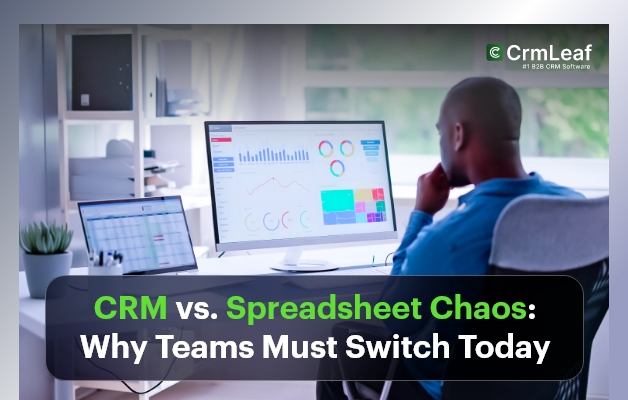
What happens when your sales team updates one spreadsheet, finance updates another and operations keeps a third version? The result is spreadsheet chaos: duplicated entries, wrong numbers, slow replies and confused customers.
Many businesses still use Excel or Google Sheets to manage leads, quotes and daily operations. For a small start, that is fine. As the team grows, spreadsheets become a bottleneck. This guide explains why, how a CRM changes the picture and how to switch in steps, with the facts about what CrmLeaf does and does not do.
Why Businesses Must Outgrow Spreadsheets
Spreadsheets were built for calculation, not for teams sharing customer records. They bring several problems as you scale.
- High Risk of Manual Errors: Typing the same data in several places leads to mistakes, such as a wrong price on a quote or a missed delivery date. A form that writes straight to a record removes one retyping step. The CrmLeaf lead form (Basic) checks email addresses for duplicates and creates a lead and a deal.
- Siloed and Fragmented Information: Each department keeps its own file, so sales, finance and operations do not see the same facts. A CRM gives sales and client teams one record per customer, with emails, notes, proposals and invoices attached.
- Manual Work and Lost Productivity: Reminders, follow-ups and routine steps depend on someone remembering. With Workflow Automation (Premium), a "When, If, Then" rule can send an email, assign an owner or create a follow-up task.
- Weak Accountability and History: In a shared spreadsheet, anyone can overwrite a cell and it is hard to see who did. A CRM ties activity to named users. Emails and notes stay on the record, and history stays when the owner changes.
- Slow Reports and Late Insight: Reports built by hand take hours and are old by the time they are read. The CrmLeaf CRM dashboard shows open and won deals, deals that need attention and overdue follow-ups without a manual export.
As customer expectations speed up, a spreadsheet-driven process finds it harder to keep up. The fix is not more spreadsheets. It is a shared record that everyone updates in the same place.
CRM vs. Spreadsheet Chaos: What Changes with CrmLeaf?
The table below compares a typical spreadsheet set-up with CrmLeaf, using what is documented as of 4 November 2026. It also marks what CrmLeaf does not cover, so you can decide where a CRM ends and another system begins.
| Capability | Spreadsheets | CrmLeaf |
|---|---|---|
| Lead tracking | Manual rows and filters | Lead form, CSV import, pipeline board with stage totals (Basic and above) |
| Quotes and proposals | Copied files sent by email | Proposals with client open tracking, accepted or declined status and stored signature (Basic and above) |
| Invoices and contracts | Separate templates and files | Invoices, contract templates and a public signing link (Pro) |
| Follow-ups and reminders | Calendar notes and memory | Follow-ups on deals, overdue list on the CRM dashboard, rules on Premium |
| Reporting | Static sheets built by hand | CRM dashboard, lead and deal reports with average deal size and export; Performance Dashboard on Premium |
| Inventory and production | Offline logs | Not a CrmLeaf feature. Use inventory or ERP software. ERP and accounting integration is on Enterprise |
| Payroll | Complex formulas | Payroll is a paid add-on module, not in the plan prices. Confirm your plan |
With CrmLeaf, sales and client teams work from the same record. We do not claim real-time shop floor updates, built-in role-based approvals or forecasts, because CrmLeaf does not list them. For security details, see the CrmLeaf security page. SOC 2 is in progress, and ISO 27001 aligned controls are described there.
Best Practices to Transition from Spreadsheet Chaos
Switching does not have to be hard. Move in small steps and check each one before you start the next.
Assess Current Spreadsheet Workflows
- Identify bottlenecks and duplication. Ask each person which sheet they open first every morning.
- Map the key processes, such as order-to-cash (a lead becomes a proposal, then an invoice) and hire-to-retire. For the sales side, the tutorial on the proposal to project workflow shows how the steps connect in CrmLeaf.
Set Clear KPIs
Choose a few measures you can count before and after the switch. We do not set targets for you, because the right numbers depend on your business. Examples:
- Number of duplicate leads found in a month
- Time from lead received to first reply
- Number of overdue follow-ups each week
- Hours spent building the weekly report
Implement in Phases
- Pilot with one team, for example sales. Load your sheet with CSV import and invite the team.
- Expand to proposals, invoices and projects on the plan that includes them. The HR module (HRMS) is separate, and payroll is an add-on module.
Automate Quick Wins
- Create follow-up tasks for new leads, and review overdue follow-ups on the CRM dashboard.
- Use Workflow Automation (Premium) to assign owners and send emails when a rule matches.
- Use email templates from the deal (Basic), so replies are logged on the record.
We do not claim automatic overdue-payment reminders, stock reorder triggers or leave approvals in CrmLeaf, so keep those in the system that owns them.
Maintain Data Governance
- Agree who can create and edit records, and limit access to what each person needs.
- Remove duplicates before you import, and use email de-duplication on the lead form after.
- Run a monthly data quality check, such as missing phone numbers or old deals.
The result of a phased approach is simple: faster adoption and fewer surprises. Judge it by your own KPIs, not by a promised return.
Test the switch on a small scale: Import one sheet of leads and run your pipeline in CrmLeaf for two weeks. Start a free 15-day trial. No credit card is needed.
Example Scenario: Moving Off Spreadsheets in Phases
Example scenario (illustrative, not a customer). No results are claimed.
Imagine a mid-size distribution firm where sales leads, quotes and follow-ups live in several spreadsheets, and inventory sits in a separate system. The team decides to move the customer-facing work into a CRM first:
- Leads are imported once and new ones arrive through the lead form.
- Quotes become proposals, so the team can see when the client opened them and whether they were accepted.
- Each deal has a follow-up date, and the manager checks overdue follow-ups on the dashboard every morning.
- Inventory stays in its own system, and the team agrees how stock facts reach sales.
After a month, the firm compares its KPIs with the baseline it recorded before the switch. The scenario shows the order of work: one process at a time, with measures set in advance. It does not claim figures for any real company.
Key Takeaways: The Future Is Unified, Not Fragmented
- Spreadsheets slow down scaling teams, because many people edit copies and history is lost.
- Automation helps with productivity and accuracy when your process is clear. In CrmLeaf, rules are on the Premium plan.
- A shared CRM record gives sales and client teams one view of each customer, from lead to proposal to invoice.
- Keep inventory, payroll and ERP work in the tools built for them. CrmLeaf offers ERP and accounting integration on Enterprise.
Speed matters, but clean data matters more. Compare CrmLeaf plans: Free is $0 for one user (100 contacts and 10 deals), Basic is $9 per user per month ($8.10 annual), Pro is $19 ($17.10) and Premium is $29 ($24.80). Enterprise is custom.
Sources
- CrmLeaf pricing page, checked 4 November 2026.
- CrmLeaf workflow automations feature page, checked 4 November 2026.
- CrmLeaf proposals feature page, checked 4 November 2026.
Plans and prices checked on the CrmLeaf pricing page on 4 November 2026. Facts checked against CrmLeaf pricing and product documentation.