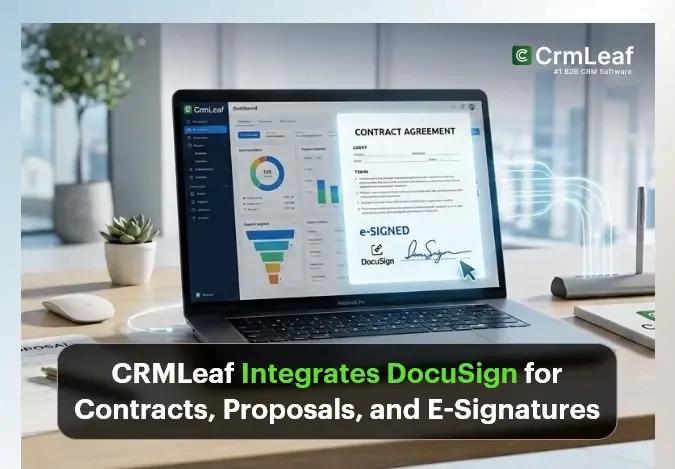
Today, CrmLeaf is rolling out a native DocuSign integration. Contracts and proposals created inside CrmLeaf can now be sent for legally binding e-signature, tracked in real time, and stored automatically against the record they belong to – all without a rep, HR manager, or operations lead ever having to open a second tab.
This has been one of the most requested features from CrmLeaf customers running sales, legal, and client-onboarding workflows across India and the GCC, where contracts routinely need to move between multiple signers, multiple entities, and multiple currencies before a deal is truly closed. It’s also one of the clearer examples of what we mean when we say CrmLeaf is built as one platform rather than a bundle of separate apps: the signature event isn’t an isolated action living in a third-party tool; it’s one step in a workflow that already spans CRM, Sales, and – soon after a contract is signed – Work and Finance. Here’s what’s new, why we built it this way, and how to get started today.
Why we built this
A CRM’s job doesn’t end when a proposal is written – it ends when a client signs. Until today, that last step in CrmLeaf required leaving the platform entirely. A rep would export a proposal as a PDF, log into a separate e-signature tool, re-upload the document, place signer fields by hand, and then come back later to manually update the deal once (or if) they remembered to check whether the client had signed.
That gap between “proposal sent” and “deal closed” is where a surprising amount of revenue quietly leaks. Our own analysis of customer support tickets and product usage patterns pointed to the same three friction points, over and over.
Estimated annual hours a 10-person sales team loses to manual export-upload-track e-signature workflows, based on our cost-of-manual-signing analysis.
The problem before today
Three patterns kept showing up whenever we talked to customers about how contracts and proposals actually moved through their business:
- Manual PDF exports. Reps exported documents from CrmLeaf, saved them locally, then re-uploaded them into a separate e-signature tool – hoping the right version made it through.
- Status drift. Because the CRM had no visibility into the e-signature tool, someone had to check that tool separately to see if a client had opened or signed a document. Deal and proposal status in CrmLeaf stayed stale until someone remembered to update it by hand.
- Disconnected signed files. Completed contracts ended up in an inbox or a shared drive, disconnected from the client or deal record they belonged to – which cost time again the moment anyone needed to find them for a renewal, dispute, or audit.
None of these problems are dramatic on their own. But multiplied across every proposal a sales team sends, every contract a legal team routes, and every renewal an account manager chases, they add up to a real, measurable cost – one we quantify in detail in our business case on the cost of manual contract signing.
Why this hits multi-entity businesses harder
The friction compounds for the kind of business CrmLeaf is built for: companies running multiple legal entities across India and the GCC, often billing in more than one currency and reporting to more than one regulatory body. A contract for a UAE entity might need a different signer chain than one for an India entity – and if the e-signature tool has no concept of “entity” at all, someone has to track that mapping manually, outside any system of record. The same is true for agencies managing client approvals across several accounts at once: without routing logic tied to the actual deal or client record, it’s easy for the wrong version of a document to reach the wrong signer, or for a routing order to be recreated by hand every single time.
None of this is a criticism of e-signature tools themselves – DocuSign’s signing experience, legal validity, and audit capabilities are best-in-class, which is exactly why we built on top of it rather than replacing it. The gap was never in DocuSign. It was in the handoff between DocuSign and everything else a deal or contract touches.
What’s new: DocuSign, built into CrmLeaf
The DocuSign integration connects directly to contracts and proposals in the Sales and CRM modules. Once connected, the entire signing lifecycle – sending, routing, tracking, completing, and filing – happens inside the same record a rep or admin already works from.
Here’s the full feature set going live today:
- Send contracts and proposals for e-signature directly from their CrmLeaf record, with each document type enabled independently.
- Multi-signer routing, so a client and an internal approver can sign in a defined sequence rather than all at once.
- Real-time status – Sent, Delivered, Viewed, Completed, Declined, or Voided – visible on the same screen your team already uses.
- Reminders and expiration rules, configurable per send or set as sensible organisation-wide defaults.
- DocuSign Connect webhooks, so status updates arrive automatically rather than requiring a manual refresh.
- Full audit trail – every signing action, user, timestamp, and IP address synced directly into CrmLeaf.
- Void and resend, so a rep can cancel an outdated envelope and send a corrected version from the same record.
- Certificate of completion download, attached automatically to the contract file history.
- Sandbox and production environments, so teams can test signer routing safely before going live.
- Role-based permissions, separating who can send documents from who can manage the integration itself.
We used to lose hours every week exporting PDFs and chasing signatures. Now our sales team sends proposals from CrmLeaf and knows the moment a client signs.
How it works: connecting your account
The integration is bring-your-own-key (BYOK) – CrmLeaf connects to your organisation’s existing DocuSign account rather than requiring a new subscription or a separate signing product. This matters for two reasons: your existing
DocuSign envelope allowance and pricing don’t change, and your legal or IT team retains full ownership of the DocuSign account itself.
Connecting takes three steps: generate an Integration Key and Secret in DocuSign’s Admin panel, paste them into CrmLeaf under Settings → Integrations → DocuSign, and authorize the connection via DocuSign’s standard OAuth flow. We’ve written a full walkthrough in the DocuSign integration setup tutorial, including exactly where to click in both platforms.
On the security side, the connection uses DocuSign’s own OAuth 2.0 authorization – CrmLeaf never asks for or stores a DocuSign password directly. Access can be revoked at any time from either side: disconnecting in CrmLeaf settings, or revoking the app’s access from within DocuSign’s own Connected Apps list. Because permissions are role-based on the CrmLeaf side, an organisation can also limit who is even able to view or change the DocuSign connection, separate from who is allowed to send documents day to day.
Sending a contract or proposal for signature
Once connected, sending a document for signature is a single action from its record: open any contract or proposal, click Send for DocuSign Signature, and CrmLeaf generates the PDF from your existing template automatically.
There’s no export step, no separate upload, and no re-typing of client details – signer information pre-fills from the linked client or lead record.
From there, a rep or admin confirms the signer list, adds any additional signers if needed, and sends. DocuSign takes over the delivery and signing experience from that point, exactly as it would through DocuSign directly – the difference is that everything before and after that moment now lives inside CrmLeaf.
Multi-signer routing, explained
Many contracts don’t just need a client signature – they need a client signature and an internal sign-off, often in a specific order. The integration supports sequential routing, so a document can go to the client first and only reach an internal approver once the client has signed, or vice versa, depending on how your team works.
This is particularly relevant for agencies and consultancies managing multi-party approvals, and for construction or EPC businesses where a contract might need sign-off from a site lead before it reaches a client at all. Routing order is set once per send, directly on the document – no separate configuration step in DocuSign is required.
A note on document types
Contracts and proposals can be enabled independently in integration settings. A business that only wants to e-sign formal contracts – and keep proposals as an internal, unsigned document – can configure it that way. Most sales-led teams enable both, since a signed proposal is what triggers the “Accepted” status that moves a deal forward.
Real-time status tracking
This is the piece that solves the “status drift” problem directly. Instead of a rep having to log into DocuSign separately to check whether a client has opened a document, per-signer status is visible on the contract or proposal record itself: Sent, Delivered, Viewed, Completed, Declined, or Voided.
Status updates arrive via DocuSign Connect webhooks in near real time, and can also be refreshed manually from the document page if needed. When an envelope reaches Completed, CrmLeaf automatically updates the linked proposal’s status to Accepted – no one has to remember to do it by hand.
💡 Key takeaway Enable webhooks during setup rather than relying on manual refresh. It’s a one-time toggle, and it’s the difference between status updating the moment a client signs versus whenever someone next opens the record.
The audit trail and compliance
Every signing action – who signed, when, and from what IP address – syncs directly into CrmLeaf alongside the contract. This is the same audit data DocuSign itself captures; the integration simply brings it into the record your team already references, rather than requiring a separate request to your DocuSign administrator when legal or an auditor needs it.
⚠ A note on retention: the audit trail synced into CrmLeaf reflects DocuSign’s own event log at the time of sync. If your organisation has specific document retention or e-signature compliance requirements – for regulated industries, cross-border contracts, or statutory filings – confirm those requirements against your DocuSign account settings directly, since retention policy is configured and enforced at the DocuSign account level, not by CrmLeaf.
Voiding and resending
Terms change after a document has already gone out – a discount gets renegotiated, a scope line needs correcting, a signer’s email was wrong. Rather than requiring a rep to cancel the envelope from within DocuSign and start over from CrmLeaf, both actions now happen from the same record: void the pending envelope, correct the document, and resend, without switching tools at any point.
| Capability | Manual DocuSign | CrmLeaf + DocuSign |
|---|---|---|
| Generate PDF from CRM data | Manual export | Automatic |
| Update proposal status | Manual | Automatic on sign/decline |
| Signed file storage | Separate folder | Attached to contract record |
| Void & resend | Switch tools | From the same record |
Sandbox vs production
Both DocuSign environments are available directly from CrmLeaf’s integration settings. We recommend every team start in Development (sandbox) – envelopes sent here aren’t legally binding and don’t count against your DocuSign plan, which makes it the right place to confirm signer routing, reminder timing, and template formatting before anything reaches a real client. Switching to Production is a single toggle once you’re ready.
Who this is for
While any CrmLeaf customer sending contracts or proposals will benefit, four groups get the most immediate value:
- Sales teams, who send proposals for signature and want deals to auto-update the moment a client signs, without a manual status check.
- Legal and operations teams, who need ordered multi-signer routing and a complete, exportable audit trail.
- Account management teams, who regularly void and resend updated terms and want a full history on every client record.
- Agencies and consultancies, who route client approvals alongside internal sign-off on the same document.
For a sales manager running a team of ten reps, the value shows up first as reclaimed time – roughly six hours per rep per week, based on our internal analysis – and shortly after as pipeline accuracy, since deal stage now reflects what actually happened with a client rather than what a rep remembered to update. For legal and operations, the value is less about speed and more about defensibility: when a contract is disputed months later, the audit trail is already attached to the record, rather than requiring a request to whoever manages the DocuSign account.
Account managers get a narrower but sharper benefit: renewals and amendments are one of the few workflows where a document genuinely does need to be voided and resent, sometimes more than once. Doing that from the same contract record – rather than tracking down the original envelope in a separate tool – removes one of the more error-prone steps in the renewal process.
We’ve written a deeper walkthrough of the sales team workflow specifically – including the full step-by-step from deal to signed contract – in our Sales Team use case for DocuSign.
Higher deal close rate reported by sales teams combining CRM pipeline visibility with in-record e-signature tracking.
Rollout and availability
The DocuSign integration is available today to all CrmLeaf customers on plans with the Integrations module enabled, across every supported region – India, UAE, Saudi Arabia, Qatar, Kuwait, and Bahrain. Multi-currency and multi-entity organisations can connect DocuSign per entity under Multi Organisation settings, useful for businesses running some entities through Tally and others that need e-signature and QuickBooks or another accounting tool in parallel.
No migration is required for existing contracts or proposals – the integration applies going forward, and any document created going forward can be sent for signature the same way.
How this fits into the rest of CrmLeaf
The DocuSign integration doesn’t exist in isolation – it’s built to connect the same way every other module in CrmLeaf does. A signed contract doesn’t just sit as a completed envelope; it flows into the Sales module and becomes part of a client’s ongoing record, alongside their invoices, payments, and project history. A signed proposal doesn’t just change colour on a kanban board; it updates the deal it belongs to, which in turn can trigger a project to be created in the Work module once a delivery team is ready to start.
This matters more than it might first appear. In a lot of CRM-plus-e-signature setups, the signature event is the end of the story as far as the CRM is concerned – someone still has to manually create the client record, raise the first invoice, or kick off onboarding once a contract comes back signed. Because CrmLeaf already unifies CRM, Sales, Work, and Operations in one data model, a completed DocuSign envelope can be the start of the next workflow rather than a dead end that someone has to notice and act on separately.
For finance teams, this also means a signed contract’s terms – value, billing schedule, currency – are already sitting in the same record that generates the first Sales Order or Invoice, rather than requiring someone to re-key figures from a PDF a second time. It’s a small detail, but it’s exactly the kind of manual re-entry step that this release, and CrmLeaf’s broader approach to integrations, is designed to remove.
What’s next
This release focuses on Contracts and Proposals, the two document types most commonly sent for signature today. Based on how customers use this first release, we’re evaluating support for additional document types – including offer letters from the Recruit module and vendor agreements from Operations – as natural next steps for the same underlying integration.
We’re also watching how routing patterns get used in practice before deciding what to build next around them. Early usage suggests that construction and EPC customers lean heavily on internal-approver-first routing – getting a site lead or project director to sign off before a document ever reaches a client – while agencies tend to route client-first, treating the internal sign-off as a formality that happens after the client has already committed. Both are supported today; we’ll use that usage data to decide whether routing templates, saved and reused per document type, are worth building next.
E-signatures shouldn’t mean copy-paste workflows. This is about closing the gap between the moment you send a document and the moment a deal is actually done.
Getting started
Setting up the integration takes about fifteen minutes end to end, most of which is generating credentials inside DocuSign itself:
- Generate a DocuSign Integration Key and Secret from your DocuSign Admin account.
- Connect your account under CrmLeaf → Settings → Integrations → DocuSign.
- Test in the Development environment, then switch to Production.
- Enable Contracts and/or Proposals, and set your default reminder and expiration rules.
- Assign send permissions to the right roles.
- Send your first contract or proposal for signature.
For the full click-by-click walkthrough, see our DocuSign integration setup tutorial.