
Did you know that 63% of small and mid-sized businesses lose deals or miss follow-ups because customer data lives in silos? A Unified CRM Platform is no longer optional — it’s a competitive necessity.
As customer expectations rise and digital transformation accelerates, fragmented tools lead to:
- Wasted time
- Costly errors
- Poor customer experiences
- Frustrated teams
This guide explains how to evaluate, implement, and scale a unified CRM platform to connect sales, HR, manufacturing, inventory, projects, and finance.
By the end, you’ll see how CrmLeaf transforms disconnected processes into a single source of truth, empowering your business to grow smarter and faster.
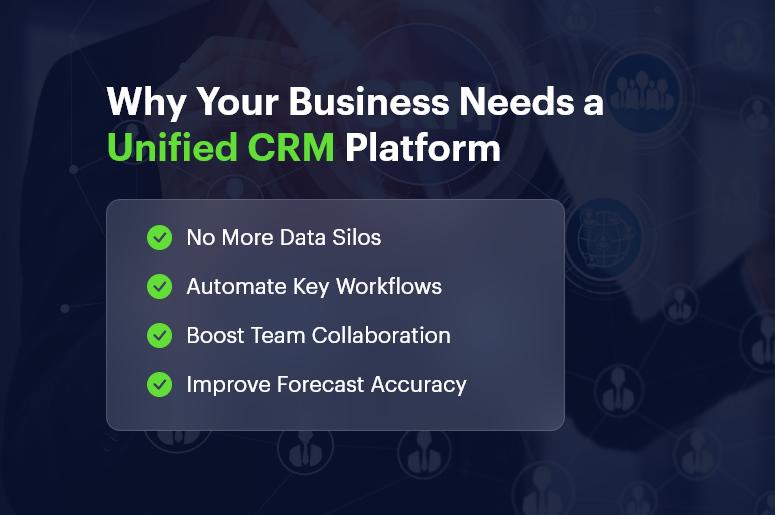
Why Every Growing Business Needs a Unified CRM Platform in 2025
As businesses scale, reliance on multiple unconnected systems creates significant challenges:
1. Operational Inefficiencies
Manually exporting spreadsheets causes delays, duplications, and errors that hurt productivity.
2. Higher Risk & Increased Costs
Data gaps lead to compliance issues, inaccurate forecasting, and inventory imbalances — costing companies up to 20% of annual revenue.
3. Missed Growth Opportunities
Sales teams waste hours hunting for context, making upselling and nurturing more difficult.
Industry Examples
- Manufacturing: Spreadsheet-based planning causes procurement delays and production bottlenecks.
- Retail & Distribution: Siloed inventory updates lead to stock discrepancies and customer dissatisfaction.
- Service & Logistics: Outdated calendars and paper-based timesheets derail scheduling accuracy.
Gartner predicts that by 2026, 75% of mid-market companies will unify front- and back-office systems. The message is clear: connected workflows are essential to compete and scale.
Best Practices, Frameworks & Actionable Steps for Implementing a Unified CRM Platform
Implementing a unified CRM platform like CrmLeaf is most effective with a structured approach:
1. Conduct a Comprehensive Needs Assessment
- Map workflows across sales, HR, inventory, manufacturing, projects, and finance.
- Involve cross-team stakeholders to align goals and secure adoption.
2. Choose Modules Based on Your Growth Priorities
- Start with high-impact modules like CRM platform, Inventory, or HRMS.
- Roll out in phases to deliver quick wins without overwhelm.
3. Follow an Iterative Implementation Framework
Use the cycle: Assess → Plan → Execute → Optimize
Track KPIs such as:
- Lead response time
- Production cycle accuracy
- Payroll processing duration
4. Invest in Clean Data Migration & Smooth Integrations
- Standardize data before migration to avoid legacy issues.
- Use APIs or native connectors to link CrmLeaf modules like CRM, Inventory, and Finance.
5. Implement Strong Change Management & Role-Based Training
- Train teams based on workflows: CRM for sales, HRMS for HR, Payroll for managers.
- Use internal champions to improve adoption and reduce resistance.
6. Monitor, Evaluate & Continuously Improve
- Use dashboards in CrmLeaf Projects and Manufacturing to track milestones, production loads, and resource use.
- Hold monthly reviews to refine configurations and workflows.
Do’s and Don’ts
Do’s
- Start small with high-impact modules.
- Align processes before automating.
- Use analytics for actionable insights.
Don’ts
- Don’t deploy all features at once.
- Don’t skip user training.
- Don’t over customize before mastering basics.
Quick Wins with CrmLeaf
- Automate lead assignments — improve response time by up to 50%.
- Enable real-time inventory sync across warehouses to prevent stockouts.
- Standardize payroll with accurate calculations and faster compliance reporting.
Customer Success Story: Evergreen Textiles
Evergreen Textiles, a mid-sized manufacturing company, faced chronic overstock and production delays. After implementing CrmLeaf Manufacturing + Inventory, they achieved:
- 30% reduction in raw-material carrying cost
- 25% faster production cycle
- Improved on-time delivery from 78% to 95%
- Monthly financial closings reduced from one week to two days
How CrmLeaf Helped:
- CRM platform forecasts triggered automated inventory reorders
- Production teams gained real-time visibility into sales pipelines
- Finance synced order, production, and inventory data seamlessly
Key Takeaways
A Unified CRM Platform is essential for growth-focused businesses. Disconnected tools create risk, slow teams down, and inflate operational costs.
By centralizing CRM, HR, manufacturing, inventory, projects, and finance on one integrated system, businesses unlock:
- Real-time visibility
- Stronger collaboration
- Faster decision-making
- Lower operational costs
CrmLeaf delivers an end-to-end unified CRM platform that helps you scale confidently in 2025 and beyond.
FAQs
1. What is a unified CRM platform?
It’s a single system that integrates CRM with back-office functions like finance, HR, inventory, and manufacturing — eliminating silos and enabling seamless workflows.
2. How does CrmLeaf ensure data security?
CrmLeaf uses encryption, role-based access control, and regular audits to protect customer, HR, and financial data.
3. Can I migrate from spreadsheets to CrmLeaf?
Yes. CrmLeaf provides import tools and guided migration for spreadsheets, legacy CRMs, and ERP files.
4. What mistakes should I avoid during implementation?
Avoid over customizing early, skipping training, and migrating unclean data.
5. How does a unified CRM help finance teams?
It gives real-time visibility into sales, inventory, project budgets, and commitments — speeding up forecasting and financial close.
6. How is a unified CRM better than multiple apps?
It provides a single source of truth, eliminates manual reconciliation, and accelerates decision-making.
7. Is CrmLeaf suitable for regulated industries?
Yes. CrmLeaf supports audit trails, compliance workflows, and strict access controls for regulated sectors like finance, healthcare, manufacturing, and logistics.