TL;DR
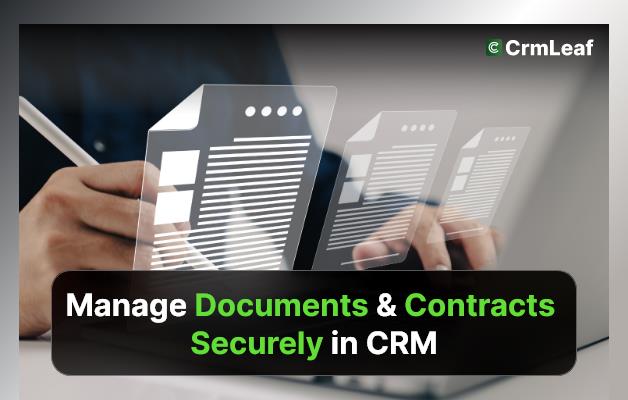
- To manage documents and contracts securely in a CRM, keep them on the client record, limit who can open them, use signing links instead of email attachments and review access on a schedule.
- In CrmLeaf, proposals are in Basic ($9 per user per month, $8.10 annual). Contracts with templates, a public signing link and company countersigning are in Pro ($19, $17.10 annual).
- Access follows the CRM's role-based permissions. CrmLeaf does not claim HIPAA compliance, SOC 2 is in progress and ISO 27001 is limited to aligned controls. No CRM "ensures" GDPR compliance for you.
- We removed the "20% of time" statistic and the NovaLegal case study, because neither could be verified.
Secure document management is a mix of product controls and your own habits. Plans and prices were checked on 4 November 2026.
When teams grow, so do their files. Sales proposals, signed contracts, onboarding documents and vendor agreements pile up across inboxes and shared drives. Searching for the latest version wastes time, and sending the wrong one can cost a deal. That is why managing documents and contracts securely in CRM becomes a core job as a business scales.
In this guide, we explain why it matters, what good practice looks like and which CrmLeaf features support each step. We make CrmLeaf, so we state what is documented, label each feature with its plan and point out where you should confirm details with us or your own legal adviser.
Why Secure Document & Contract Management Matters for Business
Paper clutter is mostly gone, but digital chaos is just as risky. As a business grows, so do its files. Think of sales proposals, signed contracts, onboarding documents, vendor agreements and approval records, multiplied by teams, clients and regions.
For growing teams in real estate, legal services and B2B software, handling this information by hand or across disconnected tools leads to errors, delays and compliance risks.
Here is why smart businesses manage documents and contracts in their CRM:
- Compliance and Audit-Readiness: a central record makes it easier to show who received what and when. It does not make you compliant on its own. Rules such as GDPR, HIPAA or SOC 2 set requirements for your organisation, your processes and your vendors, and a CRM is only one part. CrmLeaf does not claim HIPAA compliance. SOC 2 is in progress and ISO 27001 is limited to aligned controls. Read the CrmLeaf security page for the current position and ask your legal adviser what applies to you.
- Single Source of Truth: when contracts, proposals and communications sit on one client record, teams stop searching across inboxes and folders.
- Faster Approvals and Closures: sending a proposal or a contract from the CRM removes the wait for attachments and printouts. A signing link lets the client sign online.
- Reduced Risk of Data Breach: fewer copies in email means fewer places for a document to leak. Role-based permissions limit who can open records. No system removes the risk entirely, so train staff and review access.
- Better Collaboration: sales, legal and finance can work from the same record and see the same status, without passing files around.
Best Practices to Manage Documents and Contracts Securely in CRM
You need more than storage. You need a simple routine. Here are eight practices, with the CrmLeaf support that exists today and the parts that stay manual.
1. Use Role-Based Access Controls
Not everyone needs every file. Define roles by job, and give people only what they need. CrmLeaf records follow the CRM's role-based permissions. Check the exact rules for your account with your administrator, and review the user list each quarter. Remove access on the day someone leaves.
2. Centralize Documents in a Digital Contract Repository
Keep proposals and contracts on the client or deal they belong to. In CrmLeaf, proposals (Basic) track whether the client has opened them and whether they are waiting, accepted or declined. Contract management (Pro) uses templates and keeps the contract with the client record. Agree one naming rule, such as client, document type and date, so files are easy to find.
3. Automate Contract Lifecycle Management
A contract has stages: draft, sent, signed and active. In CrmLeaf, a contract goes from a template to a signing link, the client signs and your company countersigns. Renewal and expiry alerts for contracts are not documented. Until they are, put renewal dates in a follow-up task on the client record, or in Premium use a Workflow Automation rule to create a task or send an email. Approval requests are also manual today, so name the approver in the task.
Want to see the signing flow yourself? Start a 15-day free trial, no card needed.
4. Leverage Version History & Audit Trails
Always know who changed what and when. CrmLeaf does not document full document version history or a contract audit trail. What you can do: keep one live copy per contract, record changes in notes, and save the signed copy. If a detailed audit trail is a must-have, ask us before you buy. Enterprise buyers can discuss their needs with the sales team.
5. Enable Encrypted File Sharing
Share contracts and proposals with a link, not as loose email attachments. CrmLeaf uses a public signing link for contracts. We have not documented the encryption method for stored files or links, so do not rely on a claim we have not made. The security page is the place to check, and you can ask for a security review before you sign up.
6. Integrate eSignature Tools
Online signing cuts turnaround time. CrmLeaf has built-in signing: proposals store a client signature, and contracts use a signing link. The client signs first and then your company countersigns. We make no claim here about third-party signing tools. Check the integrations page for what is listed today.
7. Set Expiry Dates & Auto-Reminders
Missed renewals are costly. CrmLeaf does not document automatic contract expiry reminders. Create a follow-up task for each renewal date and assign an owner. The CRM dashboard lists overdue follow-ups, so a missed date shows up. The task management feature supports due dates and assignees.
8. Tag & Categorize for Searchability
Good naming and consistent categories make files easy to find. Use the client name, project or deal name and contract type in every title. Keep the structure simple enough that a new hire can use it on day one.
Example Scenario (Illustrative, Not a Customer)
Example scenario (illustrative, not a customer). A legal advisory firm wants to cut the time it spends chasing contract paperwork. The firm named here earlier was not a verified customer, so we removed its figures, its contract count and its compliance claim.
In this scenario, the team does the following:
- It puts one contract template in the CRM for each service it sells.
- It sends contracts with a signing link and countersigns each one.
- It creates a follow-up task for each unsigned contract.
- It reviews who has access to client records each quarter.
To measure the result, track days from contract sent to contract signed, and the number of contracts with no next step. Take a baseline for a month before you start. A CRM does not provide GDPR compliance by itself, so the firm still needs its own legal advice and data processes. For real stories, see the customers page.
Key Takeaways
- Secure document and contract management is about compliance habits, collaboration and customer trust, and it needs both tools and process.
- You need more than storage: role-based access, signing links, clear owners and regular reviews.
- With CrmLeaf, you can keep proposals and contracts on the client record and sign them online. Check the security page for compliance status, and confirm any must-have control with the team.
In short, the right CRM gives your team a clear, shared place for paperwork. Compare plans on the CrmLeaf pricing page or start a free trial.
Sources
- CrmLeaf pricing page, checked 4 November 2026.
- CrmLeaf contract management feature page, checked 4 November 2026.
- CrmLeaf security page, checked 4 November 2026.
Plans and prices checked on the CrmLeaf pricing page on 4 November 2026. Facts checked against CrmLeaf pricing and product documentation.