TL;DR: CFOs want one dashboard that shows budget, actual spend, commitments and approvals together, so overruns show up while they can still be fixed. In CrmLeaf, project budgets are part of the Budget Management add-on, and actuals are read live from expenses, approved time logs, purchase orders, bills and invoices. Expense tracking and invoices sit in the core product. The Pro plan ($19 per user per month, $17.10 billed annually) adds invoices and projects, and Premium ($29, $24.80 annually) adds the Performance Dashboard and Workflow Automation. Confirm the Budget add-on is in your plan. Every account gets a 15-day free trial with no credit card. Plans and prices were checked on 4 November 2026.
While revenue often steals the spotlight, budgeting and expense controls are what keep businesses afloat during downturns. CFOs today need more than spreadsheets. They need centralized dashboards that offer clarity, control and confidence, and that update as work happens.
We do not quote a survey figure here. An earlier version of this article cited a statistic from a PwC report, but we could not confirm the report, its year or its wording, so we removed it. The need itself is easy to test in your own company: ask how many days pass between a cost being incurred and the CFO seeing it against budget.
In this blog, we break down what CFOs want: a single place where budgeting, forecasting and expense management connect. We also show what CrmLeaf does today for this job, plan by plan, and where it does not replace an accounting system. We make CrmLeaf, so read the product sections with that in mind.
Business Need & Importance
Why Budgeting and Expense Controls Are CFO Priorities
For growing businesses, budgeting and expense controls are more than financial hygiene. They are how a company decides where money goes. When finance teams can see how money flows in and out, they can make faster decisions, prevent overruns and allocate resources more effectively.
Disconnected systems make it hard to:
- Track budgets as spending happens
- Link departmental expenses to project outcomes
- Control discretionary spending
- Check that spending follows internal policies
It is not only finance teams that suffer. Department heads, project managers and operations leaders also struggle without a shared view of budget against actuals.
Real Scenarios Across Industries
- Professional Services: Without project-level budget visibility, consulting firms can overspend on client deliverables.
- Retail Chains: Decentralized spending on marketing and store operations can lead to expenses that nobody can trace.
- Manufacturing: Unchecked procurement costs and unpredictable vendor billing make cost control hard.
With budgeting and expense controls in one place, these teams get the financial clarity they need to scale. For the project side of this problem, see our guide on keeping projects on budget with live data.
Best Practices & Actionable Tips
How to Get Budgeting & Expense Controls Right
Below are practices that help CFOs and finance teams take control. Each one ends with what CrmLeaf does for it today, so you can separate good practice from product features.
1. Implement a Unified Financial
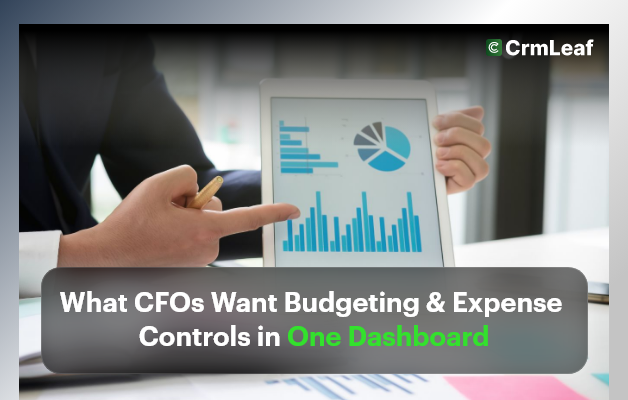
Dashboard. Bring budgets, expenses, commitments and invoices into one view. This removes the toggling between tools and gives the CFO a snapshot across projects and periods. In CrmLeaf, the budget dashboard shows a KPI header, a planned-versus-actual table per budget line, a category breakdown and burn-down charts. The same figures feed three reports: Budget vs Actual, Project Cost Summary and Over-budget, each exportable to CSV and PDF. This needs the Budget add-on.
2. Set Role-Based Access for Better Governance
Ensure that each user sees only what they need to. CFOs can view company-wide budgets, while team leads see only their own area. CrmLeaf uses permissions per role, and budget actions such as creating a budget need the matching permission. Ask your administrator to set roles before you roll out budgets.
3. Set Budgets and Monitor Spending
Assign budgets to projects and track spending as it is recorded. CrmLeaf checks warning thresholds every day, per budget or per line, and sends the alert to the budget creator and the project administrator. A figure that cannot be calculated yet shows N/A, not a misleading zero. We do not claim that CrmLeaf detects unusual spending patterns on its own, because that is not documented.
4. Link Expense Tracking with Project & CRM Data
Tie expense entries to the customer or project they belong to. This helps you compare spending with the work that earns revenue. In CrmLeaf, expense management lets teams log project costs, mark them billable or not, approve them and bill them onto an invoice. Costs on a project count toward the budget actuals.
5. Define Approval Rules for High-Value Expenses
Route large expense requests to the right person before the money is spent. CrmLeaf has expense approval. A multi-level approval chain with value thresholds is not documented, so confirm it before you promise it to your auditors. Premium plans add Workflow Automation, which can create follow-up tasks, assign owners and send notifications when a record changes. It does not replace a formal approval policy.
6. Use Real-Time Data for Forecasting and Adjustments
Do not wait for month-end. Budget actuals in CrmLeaf are never typed in. They are rolled up live from the project's own records each time you open the screen, so the budget cannot disagree with the project. Forecasting is still your judgment: CrmLeaf does not predict future spend for you. Revenue forecasting from the pipeline is a separate topic, covered in our post on forecasting revenue with pipeline reports.
7. Conduct Budget vs. Actual Analysis Monthly
Compare planned and actual spending regularly, not just each quarter. This reveals patterns and makes it easier to improve planning over time. In CrmLeaf, the Budget vs Actual report shows usage and variance per line, and the Over-budget report lists projects that have passed their plan. Budgets are locked on approval, and any change goes through a revision, so you keep a clean history.
8. Centralize Vendor & Procurement Data
Track vendor purchase orders, bills and payments next to your budgets. CrmLeaf has a Purchase module for purchase orders, vendor bills and vendor payments. It is a paid add-on, so confirm it is in your plan. When it is on, committed and billed amounts come from purchase orders and bills, and recording a vendor payment creates an expense. That helps avoid duplicate payments and shows what you still owe.
9. Connect Your CRM, Finance and HR Systems
Unifying your business systems means financial data flows from fewer sources. CrmLeaf covers the CRM, project management, time, expense and invoicing side, and it has an HRMS module (payroll is a separate paid add-on). CrmLeaf is not a general ledger and does not replace statutory accounting. Premium includes QuickBooks and Zapier integrations, and Enterprise adds ERP and accounting integration. Check which one your finance team needs.
10. Enable Mobile Access for On-the-Go Reviews
Approvals, alerts and insights should not be tied to a desktop. CrmLeaf has a mobile app. Which finance screens are available on mobile is not confirmed in our documentation, so test the approvals you need during your trial.
Customer Success
Example scenario (illustrative, not a customer): a 200-person software company has three departments that each send a budget spreadsheet to finance at month-end. The finance team spends days merging them, expense approvals wait in email, and forecasts are built on numbers that are already out of date.
If that company moved its project budgets and expenses into one system, the finance team would read planned against actual from one screen, see approved expenses land in the budget as they are approved, and get a daily warning when a line passes its threshold. We do not give percentages for this scenario, because it is not a customer result and we will not invent one. Real customers are listed on the CrmLeaf customers page.
Plans, Add-Ons and What to Confirm
Use this table to match each job to the plan or module. Prices are per user per month and were checked on 4 November 2026.
| Job | Where it sits | Notes |
|---|---|---|
| Expense tracking, billable expenses | Core product | Confirm your plan for approval options |
| Invoices and projects | Pro, $19 ($17.10 annual) | Also in Premium and Enterprise |
| Performance Dashboard, Workflow Automation | Premium, $29 ($24.80 annual) | Not add-ons |
| Project budgets, budget reports | Budget Management add-on | Off until an administrator enables it |
| Purchase orders, vendor bills | Purchase add-on | Confirm it is in your plan |
| SSO, ERP or accounting integration, SLA | Enterprise (custom) | Contact sales |
The Free plan covers one user with CRM and lead management, so it does not include budgets or invoices. Start with the 15-day free trial and check the add-on list for your account.
Start a Free Trial With Your Own Budgets
The fastest test is to load one real project, set a budget, log a few expenses and see how the variance reads. Start your free trial, no credit card needed.
Key Takeaways
Budgeting and expense controls no longer need to be clunky, reactive or fragmented. Modern CFOs ask for more, and they are right to.
With project budgets and expenses in one place, you can:
- See planned and actual spend for each project from live records
- Get a daily warning when a budget line passes its threshold
- Bill approved expenses to clients without retyping them
The result should be fewer surprises at month-end. CrmLeaf supports that work, but it does not replace your accounting package, and it does not promise a fixed saving.
Sources
- CrmLeaf pricing page, plans and trial terms, checked 4 November 2026.
- CrmLeaf product documentation: Budget Management, Purchase and Expense help articles, checked 4 November 2026.
- No third-party statistics are used in this article. The earlier PwC figure was removed because the source could not be confirmed.
Plans and prices checked on the CrmLeaf pricing page on 4 November 2026. Facts checked against CrmLeaf pricing and product documentation.