⚡ TL;DR
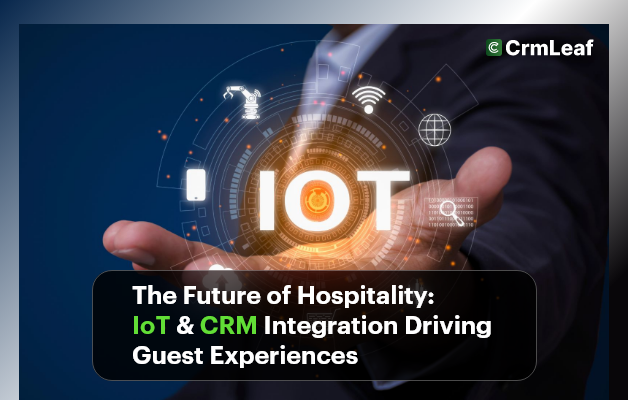
- IoT and CRM integration means that data from connected devices, such as room sensors or mobile keys, reaches the guest record so staff can act on it. It is a project that needs a hotel system, device vendors and often a developer.
- CrmLeaf does not document a native IoT, smart-room, sensor or hotel-system integration. We removed the earlier claims that it does.
- What CrmLeaf does offer for hospitality teams: guest and client records, deals and follow-ups, tasks, email on the record, and on the Premium plan ($29 per user per month, $24.80 annual) tickets and Workflow Automation with a webhook step. API access is also on Premium.
- We removed the Deloitte percentage and the "Serenity Stays" case study, because we could not find a source or confirm that either is real.
- Plans and prices were checked on 4 November 2026.
The practical approach is to connect the guest experience in steps. First, get one reliable guest record. Second, route requests and follow-ups through tasks and tickets. Third, connect devices only where a vendor offers an API or webhook and you can test it.
Imagine a guest walks into a hotel room and the lighting and temperature already match their preferences. Some hotels are working toward this. It depends on devices, room-control software and a guest profile that all share data. The idea is real. The question for a hotel team is how much of it you can build today and in what order.
This guide explains the idea, the roles it affects, practical steps and what CrmLeaf can and cannot do. We make CrmLeaf, so we separate what is documented from what would need custom work.
Business Need & Importance
Hospitality depends on experience, convenience and personalization. Guests expect staff to know their preferences, and a stay is short, so there is little time to fix a mistake. Many properties run separate systems for booking, front desk, housekeeping, maintenance and billing. When those systems do not share data, staff repeat questions and requests get lost.
IoT, short for Internet of Things, covers devices such as smart thermostats, occupancy sensors, mobile key cards and voice-controlled assistants. They produce data about how rooms are used. When that data reaches a CRM, staff can act on it. This is where a CRM can add value, because it holds the guest, the history and the task list.
We do not quote an efficiency percentage here. An earlier version cited Deloitte for a 20 to 30 percent gain, without a report title or link, so we removed it. If you build a business case, ask your device vendors for their own evidence and run a small pilot on a few rooms.
Here is how the idea can help different roles. These are possibilities, and each needs the right devices and set-up:
- Operations managers can use occupancy data to plan heating and cooling, if the hotel's building system provides it.
- Sales and marketing teams can use guest history in the CRM to plan offers, such as a spa discount for guests who booked one before.
- Housekeeping and maintenance leads can receive requests as tasks or tickets with an owner and status.
- Finance teams can compare booking value with the cost of service, using CRM reports and invoices.
Whether you run a resort, a business hotel or a vacation rental business, the foundation is the same: one trusted guest record and a clear owner for every request.
Best Practices & Actionable Tips
How to make the most of IoT and CRM integration in hospitality. Bringing the two together is about workflows, connected teams and better guest moments, not only about technology. Here is how to approach it, with what CrmLeaf supports at each step.
🔹 1. Map Out the Guest Journey with Data Touchpoints
Start by listing where guests meet your service: booking, check-in, room, dining, spa, feedback and check-out. Mark the touchpoints where a device or system already collects data, such as a mobile key or a feedback kiosk. In CrmLeaf, keep a record for each guest or client, with notes, tasks and email history on the same record. Use notes, or custom fields where your set-up allows them, to store preferences such as room temperature or pillow type. Contact details and notes can be organized on the contact management page.
🔹 2. Enable Real-Time Personalization
The ideal is that a returning guest's preferences are applied at check-in. CrmLeaf can hold the preference and show it to staff, so the front desk or a housekeeping lead can act on it. Sending a preference to a room device automatically needs a link between your room-control system and the CRM. CrmLeaf does not document one. On the Premium plan, Workflow Automation has a webhook step, and the API is available, so a developer could connect a vendor that offers an open API. Treat it as a custom project and test it on a small group of rooms first.
🔹 3. Build Automated Maintenance Alerts
Alerts from devices are only useful if someone owns the next step. Premium ticketing in CrmLeaf supports ticket types, groups, agents, tags, round-robin assignment, internal notes, statuses and an activity log, with an optional link to a client or project. A maintenance request can be a ticket with an owner. SLA timers, automatic escalation and creation of tickets from sensors are not documented. A sensor alert could reach CrmLeaf only through custom integration work. Email ticketing is an add-on module, so confirm whether it is in your plan. See the ticket management page for details.
🔹 4. Use Behavioral Insights for Upselling & Cross-Selling
Upselling works best when it is based on what a guest has actually done. Use the guest history in your CRM, such as past spa bookings or dining preferences, to plan a timely offer. In CrmLeaf you can record a deal, add a follow-up date and send the offer by email from the record. We have not confirmed automatic offers driven by minibar or gym use, so those would be manual or custom. We also cannot promise a revenue increase, so track offers sent and accepted for a few months.
Want to organize guest records and follow-ups in one place? Start a 15-day free trial, no card needed.
🔹 5. Integrate with Housekeeping & Room Readiness
Room turnover is a good place to start because it is a simple task chain: checkout, cleaning, inspection, ready. In CrmLeaf, you can create tasks with owners and due dates, and use dependencies on a project timeline so inspection follows cleaning. Automatic detection of a vacant room from motion sensors is not documented, so staff or a connected system would need to start the task. Our guide to task dependencies explains the sequence method.
🔹 6. Keep Data Secure and GDPR-Compliant
Data privacy is key when you collect personal and behavioral information. Collect only what you need, tell guests how it is used and let them opt out. CrmLeaf uses role-based, ownership-scoped permissions, so staff see only what their role allows. We do not state that any set-up makes you compliant. Review your own legal duties, and ask us for current security details. SOC 2 is in progress, and CrmLeaf does not claim HIPAA compliance. Check devices and their vendors as well, because device data is part of your risk.
🔹 7. Train Staff to Interpret and Act on Data
Technology is only as good as its users. Make sure each department knows what the data means for its role, and who acts on it. Run a short weekly review: which requests were late, and why. The CrmLeaf Academy has learning material for new users.
🔹 8. Use a Unified CRM + ERP Platform Like CrmLeaf
Avoid separate tools that do not talk to each other. CrmLeaf brings sales, projects, tickets and invoices into one platform, with plan labels as follows: Pro ($19) adds invoices, contract management, client portal and projects. Premium ($29) adds tickets, Workflow Automation, resource views and the API. Hospitality teams also use other systems, such as a property management system, and CrmLeaf does not document a link to those. Integration with an ERP or accounting system is an Enterprise plan feature, and QuickBooks is on Premium. Read about the CrmLeaf integrations before you plan the project.
Customer Success
An earlier version of this section described "Serenity Stays", a hotel chain with 12 properties, with HVAC costs down 30%, guest satisfaction up 18% and maintenance response times down 40%. We could not confirm that this customer exists, and CrmLeaf does not document the IoT sensor integration it described, so we removed it.
Example scenario (illustrative, not a customer): a boutique hotel group wants fewer repeated guest questions and faster maintenance follow-up. It does not connect any devices at first. It does this:
- It keeps a record for each repeat guest with preferences and past requests in one place.
- It logs each maintenance request as a ticket with an owner and a status (Premium).
- It sends a follow-up email to guests after check-out and records replies on the guest record.
- After three months, it reviews the number of late requests and decides whether a device pilot is worthwhile.
The point is the order. A clean record and a clear owner come first, and devices follow. For stories from real customers, see the customers page.
Key Takeaways
The hospitality industry is moving toward connected, data-led service. You can start now without waiting for every device to be connected.
With a CRM in the middle, hotels and resorts can:
- Keep guest preferences and history in one record
- Route requests to owners with tasks and tickets
- Use reports to see where service is slow
- Connect devices later, through a vendor API or webhook, after a pilot
CrmLeaf can support the record, task and ticket side. The IoT link is a custom project, so plan it with your vendors.
Sources
- CrmLeaf pricing page, plans and features, checked 4 November 2026.
- CrmLeaf ticketing, Workflow Automation and integrations documentation, checked 4 November 2026.
- CrmLeaf customers page, checked 4 November 2026.
Next step: compare plans on the CrmLeaf pricing page, or start a free trial and set up your first guest record and request workflow.
Plans and prices checked on the CrmLeaf pricing page on 4 November 2026. Facts checked against CrmLeaf pricing and product documentation.