

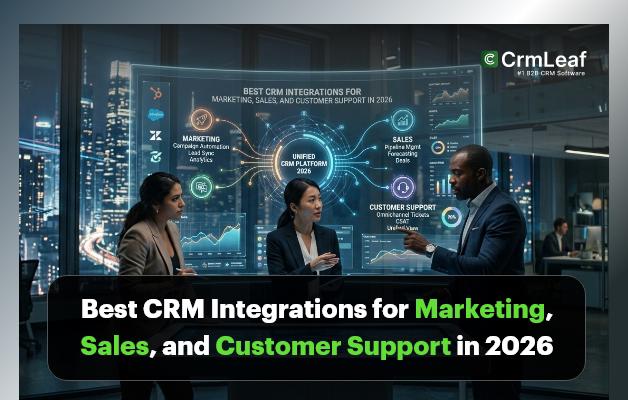
CRM integrations connect your Customer Relationship Management system with other software applications used across the business. These integrations allow different tools to share data automatically, eliminating the need for manual data entry and reducing the risk of errors.
For example, when your CRM integrates with email marketing software, new leads captured from campaigns are automatically added to your CRM database. Similarly, integrating customer support tools allows support teams to access customer history and previous interactions instantly.
The primary goal of CRM integrations is to create a unified system that enables data to flow seamlessly between marketing, sales, and support teams.
What Are CRM Integrations?
CRM integrations connect your Customer Relationship Management system with other software applications used across the business. These integrations allow different tools to share data automatically, eliminating the need for manual data entry and reducing the risk of errors.
For example, when your CRM integrates with email marketing software, new leads captured from campaigns are automatically added to your CRM database. Similarly, integrating customer support tools allows support teams to access customer history and previous interactions instantly.
The primary goal of CRM integrations is to create a unified system that enables data to flow seamlessly between marketing, sales, and support teams.
Top CRM Integrations for Marketing Teams
1. CrmLeaf + Facebook Ads
CrmLeaf’s Facebook Ads integration captures leads from your social campaigns instantly. When a prospect fills out a Lead Ad form on Facebook, their contact details sync directly into CrmLeaf — no manual imports, no delays. Marketing teams gain full visibility into which campaigns drive real pipeline growth, and sales reps receive new leads the moment they are generated.
This CRM integration also enables closed-loop reporting, so you can see which Facebook campaigns produce actual revenue — not just clicks. It is one of the most valuable connections available for businesses running paid social alongside a structured sales process.
2. CrmLeaf +Zapier
Zapier sites at the centre of any flexible CRM automation strategy. By connecting CrmLeaf with over 5,000 business applications, Zapier allows teams to build automated workflows without writing a single line of code. From syncing form submissions to updating contact records based on external triggers, the possibilities are extensive.
For marketing teams, Zapier is particularly powerful for connecting CrmLeaf with tools that do not yet have native integrations. It extends the reach of your CRM software without requiring developer resources. Learn more in our article on building no-code CRM automation workflows.
CrmLeaf Integrations for Sales Teams
Sales teams move fast. The integrations below eliminate the administrative friction that slows deal cycles and ensure reps always have the context they need — without leaving CrmLeaf.
1. CrmLeaf +Calendly
Scheduling back-and-forth is one of the most avoidable time drains in sales. CrmLeaf’s Calendly integration eliminates it. When a prospect books a meeting through Calendly, the appointment syncs automatically to their CrmLeaf contact timeline — along with the meeting type, time, and any form responses they submitted during booking.
Sales reps walk into every call fully prepared, and managers gain accurate pipeline velocity data based on actual meeting activity. For teams running high-volume outbound processes, this CRM integration alone can recover several hours per rep each week.
2. CrmLeaf +Slack
CrmLeaf’s Slack integration keeps the entire sales team aligned without requiring anyone to log into the CRM to check for updates. Deal stage changes, new lead assignments, and won opportunities trigger instant notifications in the relevant Slack channels. Managers stay informed, and reps never miss a follow-up prompt on a high-value opportunity.
The connection also supports team collaboration on complex deals. When a large account requires input from multiple stakeholders, Slack notifications keep everyone looped in — accelerating the decision-making that closes business. See how this works in our CrmLeaf sales workflow guide.
3. CrmLeaf +WhatsApp
WhatsApp is the preferred communication channel for a significant portion of the global customer base. CrmLeaf’s WhatsApp integration brings those conversations into the CRM software directly, so sales reps and support agents handle enquiries without switching between apps.
Every WhatsApp message is logged against the relevant contact record automatically, ensuring a complete and searchable conversation history. For businesses operating in markets where WhatsApp dominates communication, this integration is essential to maintaining consistent customer data management across channels.
CrmLeaf Integrations for Customer Support Teams
Support quality is determined by how quickly agents can access the right information. These integrations give your support team full context before they respond — and ensure nothing is ever lost between meetings, calls, or conversations.
1. CrmLeaf +Fireflies.ai
Fireflies.ai automatically records, transcribes, and summarises calls, then pushes those insights directly into CrmLeaf contact timelines. Support agents and account managers no longer need to take manual notes during conversations — the key points, action items, and full transcript are waiting in the CRM software the moment the call ends.
This CRM integration is particularly valuable for teams handling complex support escalations or multi-stakeholder accounts. A full call history within the customer record ensures continuity even when team members change, and enables managers to review interactions for quality assurance without interrupting live calls.
2. CrmLeaf +Google Calendar
CrmLeaf’s Google Calendar integration keeps meetings, follow-ups, and renewal calls synchronised with contact and deal records automatically. When a customer meeting is scheduled, it appears on the relevant CrmLeaf timeline — giving support and account management teams a clear view of upcoming interactions alongside the full relationship history.
The bidirectional sync means updates made in Google Calendar reflect in CrmLeaf instantly, and vice versa. Teams that manage high volumes of customer touchpoints rely on this CRM integration to maintain an accurate, real-time view of their workload without manual duplication.
3. CrmLeaf +Zoom
CrmLeaf’s Zoom integration automatically logs meeting activity against the relevant contact or deal record. When a support call or sales demonstration concludes, the meeting duration, participant list, and recording link appear in CrmLeaf without any manual entry required.
Combined with Fireflies.ai, this creates a complete call intelligence layer within your CRM software — capturing what was discussed, who attended, and what needs to happen next. For distributed teams managing customer relationships remotely, this integration significantly improves accountability and follow-through.
Best CRM Integrations for Customer Support
Customer support teams need quick access to customer information to resolve issues efficiently. CRM integrations help support teams provide faster and more personalised assistance.
Helpdesk Software
Helpdesk integrations connect customer support platforms with CRM systems so that all customer interactions are tracked in one place.
Benefits include:
- Automatic ticket creation
- Access to customer history
- Faster issue resolution
- Better support reporting
Support agents can see previous purchases, interactions, and issues, allowing them to provide more accurate solutions.
Live Chat Tools
Live chat integrations allow businesses to provide instant support to website visitors and customers.
Key benefits include:
- Real-time customer communication
- Automatic lead capture
- Chat history saved in CRM
- Improved customer engagement
These integrations help businesses respond quickly and convert website visitors into loyal customers.
Knowledge Base Platforms
Knowledge base integrations allow companies to provide self-service support options while keeping customer information connected to the CRM.
Advantages include:
- Faster problem resolution
- Reduced support workload
- Improved customer satisfaction
- Centralized documentation
Customers can find answers quickly without needing to contact support agents.
How to Choose the Right CRM Integrations
Choosing the right CRM integrations depends on your business needs and existing technology stack. Here are a few important factors to consider:
Compatibility
Ensure that the tools you use are compatible with your CRM platform and support seamless integration.
Ease of Implementation
Choose integrations that are easy to set up and require minimal technical effort.
Scalability
Your integrations should support business growth and adapt to increasing customer data and interactions.
Security
Customer data protection is critical. Always ensure that integrations follow strong security and compliance standards.
Automation Capabilities
Look for integrations that offer workflow automation to reduce manual tasks and improve efficiency.
Final Thoughts
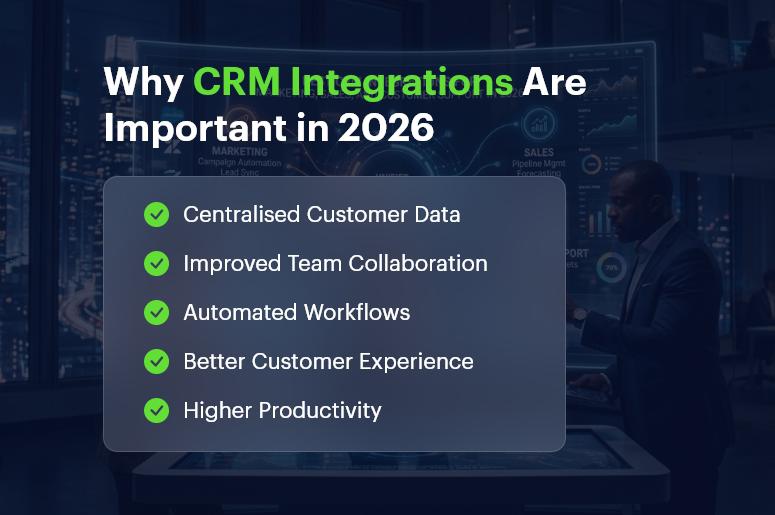
CRM integrations are no longer optional for modern businesses. They play a critical role in connecting marketing, sales, and customer support teams while ensuring that customer data flows seamlessly across systems.
By integrating your CRM with the right tools, businesses can automate processes, improve team collaboration, and deliver better customer experiences. As technology continues to evolve in 2026, companies that invest in powerful CRM integrations will gain a competitive advantage and build stronger relationships with their customers.
Selecting the right integrations for your marketing, sales, and support operations can transform how your business manages customer relationships and drives long-term growth.
Ready to connect your tools? Explore all CrmLeaf integrations or book a personalised demo to see how they work within your specific business context.
Frequently Asked Questions (FAQs)
1. What are CRM integrations?
CRM integrations connect a Customer Relationship Management system with other business tools such as marketing platforms, communication apps, and support software. These integrations allow data to sync automatically between systems, improving efficiency and reducing manual work.
2. Why are CRM integrations important for businesses?
CRM integrations help businesses centralise customer data, automate workflows, improve collaboration between teams, and deliver better customer experiences. They also reduce manual data entry and minimise operational errors.
3. What tools can be integrated with a CRM system?
A CRM can integrate with many business tools, such as social media advertising tools, scheduling software, messaging apps, helpdesk systems, live chat tools, and analytics platforms.
4. Do CRM integrations help automate business processes?
Yes. CRM integrations automate repetitive tasks such as data entry, lead capture, and follow-ups, helping teams save time and work more efficiently.
5. Can CRM integrations improve team collaboration?
Yes. When marketing, sales, and support tools are connected with a CRM, teams can access the same customer data and collaborate more effectively.
6. Do CRM integrations reduce manual data entry?
Yes. Integrations automatically sync data between systems, eliminating the need to manually enter information across multiple platforms.
7. Can small businesses benefit from CRM integrations?
Yes. CRM integrations help small businesses streamline operations, manage customer relationships better, and improve productivity.
8. Are CRM integrations secure for managing customer data?
Yes. Most modern CRM platforms use secure APIs, encryption, and compliance standards to protect sensitive customer information.
9. Can CRM integrations improve customer experience?
Yes. By providing a complete view of customer interactions, CRM integrations enable faster responses and more personalised communication.
10. What should businesses consider before choosing CRM integrations?
Businesses should evaluate compatibility with existing tools, ease of implementation, security standards, automation capabilities, and scalability to ensure the integration supports long-term growth.