⚡ TL;DR
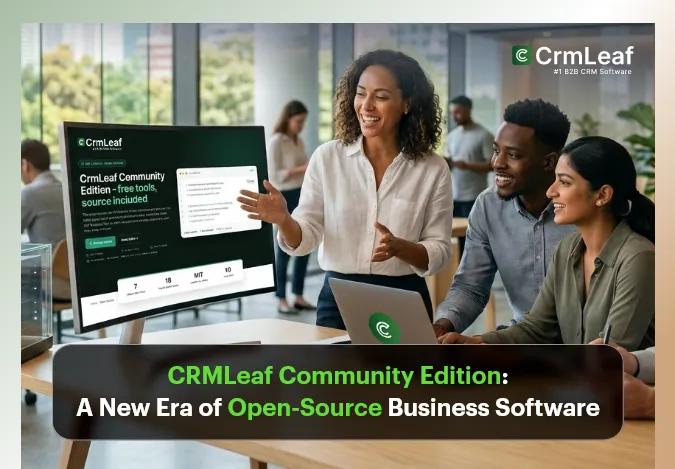
CRMLeaf has launched the Community Edition, bringing selected free business tools and the Indian payroll and statutory calculation engine into an open-source model. The Community Edition is MIT-licensed, has no seat limits, and can be self-hosted, customized, embedded, or run offline. Browser-based tools are designed as self-contained HTML files, while developers can integrate the payroll engine through PHP, Laravel, or TypeScript. It is important to note that Community Edition is not a self-hosted version of the complete CRMLeaf CRM or HRMS platform; it is the open-source collection of individual tools and calculation engines.
What this means:
- Free business tools with source available where published
- MIT licensing for published repositories
- Self-hosting without a database or backend for browser tools
- Offline and air-gapped use
- Custom branding and modification
- Open payroll and statutory calculation engines for developers
CRMLeaf Is Opening the Door to Software Ownership
Most business software asks companies to become users.
You sign up. You log in. You configure the software. You pay for access. And as long as the service remains available under the terms you accepted, your workflow remains tied to the provider.
That model works for many businesses. But it is not the only model.
What happens when a company wants to host a business calculator on its own infrastructure? What if an agency wants to put a branded tool in front of its clients? What if a developer wants to embed payroll calculations inside an existing application instead of building the statutory logic from scratch?
That is where CRMLeaf Community Edition takes a different approach.
CRMLeaf has released the open-source portion of its ecosystem: free business tools plus the Indian payroll and statutory calculation engine underneath them. The Community Edition is published under the MIT license and is designed to be used, inspected, customized, hosted, and embedded.
The important distinction is simple:
CRMLeaf Community Edition is not a self-hosted CRMLeaf platform. It is the open-source collection of individual business tools and calculation engines.
That distinction matters because the Community Edition focuses on something different from a traditional CRM or ERP.
It focuses on giving users ownership of the tools themselves.
What Is CRMLeaf Community Edition?
CRMLeaf Community Edition is the open-source part of CRMLeaf.
It includes free business tools covering areas such as sales and billing, field operations, Indian payroll, statutory calculations, business documents, and financial calculations. It also includes the calculation engine developers can use directly inside their own applications.
The Community Edition is:
- Open source
- MIT licensed
- Free to use
- Self-hostable
- Customizable
- Embeddable
- Air-gap capable
- Designed for offline use
- Available without signup for the tools
The browser-based tools are built as self-contained HTML files. According to CRMLeaf, they require no database, no backend, no build step, no environment variables, and no outbound network access. They can also be opened directly from disk in supported offline scenarios.
That architecture changes the meaning of “self-hosted.”
Instead of provisioning an entire application stack, a business can deploy an individual tool as a static file.
For a lightweight calculator or document generator, that can be a much simpler model.
Free Is Useful. Open Source Is About Control.
There is an important difference between free software and open-source software.
A free tool gives you access.
Open source can give you access plus visibility and control over the underlying code, subject to the applicable license.
CRMLeaf Community Edition uses the MIT license for its published repositories. The page states that users can read, fork, host, restyle, and commercially use the published tools under that licensing model.
For businesses, this creates several practical possibilities.
1. Host the Tool Yourself
You do not necessarily need to depend on CRMLeaf’s hosted version.
A browser-based tool can be copied to your own server or static hosting environment.
CRMLeaf lists deployment options including static hosting platforms, Nginx or Apache, GitHub Pages, Amazon S3 with CloudFront, Windows Server/IIS, and offline or air-gapped environments.
2. Customize the Experience
Organizations can change the branding, colors, logo, wording, and other aspects of the published tools.
This can be especially useful for agencies that want to provide a branded calculator or business utility to their own customers.
3. Embed Tools Into Existing Systems
A tool does not have to remain a standalone website.
CRMLeaf describes use cases such as embedding tools into an intranet, client portal, or internal wiki. Developers can also bypass the interface and call the calculation engine directly through supported technologies.
4. Inspect the Logic
For calculations involving money, payroll, taxes, or statutory rules, visibility into the calculation logic can matter.
Instead of treating a result as a black box, developers can inspect the published implementation and the calculation methodology.
That does not eliminate the need for professional validation or legal/compliance review. But it provides something proprietary calculators often cannot: visibility into the implementation.
What Tools Are Included in CRMLeaf Community Edition?
The Community Edition currently brings together tools across several business categories.
CRMLeaf groups them into sales and billing, operations and field work, Indian HR and payroll compliance, settlement and penalty calculations, and business documents and calculators.
Sales and Billing Tools
The Community Edition includes business utilities such as:
These tools address a familiar operational problem: turning business activity into client-ready documents.
For example, a professional services company may track billable hours and eventually need to convert those hours into an invoice. An expense-based workflow may similarly require reimbursable expenses to be presented to a client.
The tools simplify those individual tasks without requiring the organization to deploy an entire business management platform.
However, CRMLeaf currently marks these repositories as “Source coming.” The tools are live, but their source repositories are still being prepared.
That distinction is important.
The tool can be available before its repository is publicly published.
Operations and Field Tools
CRMLeaf also includes tools designed around operational documentation:
- Purchase Order Generator
- Sales Order Generator
- Dispatch Order Generator
The page specifically positions these tools for construction, solar, manufacturing, and distribution teams.
A purchase order generator, for example, can create a formal vendor PO with line items, quantities, and delivery terms.
A dispatch order generator can create delivery challans and dispatch documentation for goods in transit.
Again, these tools are currently marked “Source coming,” meaning the tools are available while their repositories are still being prepared.
Indian Payroll and Statutory Calculators
This is where the Community Edition becomes particularly interesting for Indian businesses and developers.
CRMLeaf has made its Indian payroll and statutory calculation engine available under its open-source model.
The currently published calculators include:
- CTC Calculator
- TDS Calculator
- PF Calculator
- ESI Calculator
- Gratuity Calculator
- Bonus Calculator
- Leave Encashment Calculator
- Full & Final Settlement Calculator
- EPFO Penalty Calculator
- Payslip Generator
- GST Invoice Generator
- Salary Templates
- Compliance Calendar
- ROI Calculator
- Savings Calculator
The CRMLeaf page states that the HR and payroll source is public today under the CRMLeaf GitHub organization. The hosted calculators currently run through INDPayroll, a sibling payroll product that shares the same calculation engine.
This is an important part of the Community Edition’s value proposition.
Payroll calculations often involve rules that are difficult to reproduce correctly from scratch.
For example, a payroll system may need to account for:
- PF contributions
- ESI contributions
- TDS
- Gratuity
- Statutory bonus
- Leave encashment
- Full and final settlement
- EPFO interest and damages
Providing the calculation engine as open source gives developers a foundation they can inspect and integrate rather than recreating every calculation independently.
Open-Source Payroll for Developers
The Community Edition is not only about ready-to-use calculators.
It also provides developers with the underlying calculation engine.
CRMLeaf currently identifies three developer-oriented components:
payroll-core
A PHP package for Indian payroll and statutory calculations.
The page describes it as providing dated rate tables, explicit rounding, and citations behind calculation figures.
laravel-payroll
A Laravel bridge for the CRMLeaf payroll engine.
It provides Laravel-specific functionality including a service provider, configuration, Blade components, and PDF rendering for payslips and GST invoices.
payroll-js
A TypeScript/JavaScript implementation for Indian payroll calculations.
CRMLeaf describes support for tree-shakeable ESM, a single-file UMD build, and embeddable web components.
This creates a different kind of opportunity.
Instead of using a payroll calculator only as an end-user, a development team can potentially use the calculation engine as a component inside a larger product.
For example, a company building an HR application could integrate payroll calculations into its own workflow rather than maintaining a separate calculator.
Why Transparent Payroll Calculations Matter
Payroll is not simply a matter of entering a salary and pressing “calculate.”
Statutory payroll involves rules, thresholds, formulas, dates, rounding, and changing rate tables.
That creates a problem for software teams.
If the calculation is hidden, developers have limited visibility into how a result was produced.
With published source and calculation explanations, they can inspect the implementation and understand the underlying logic.
CRMLeaf’s engine also exposes calculation steps and citations. The page provides an example where a gratuity result can return the formula, amount, completed years, and supporting citation.
That approach is useful because the question is not always:
“What number did the calculator produce?”
Sometimes the better question is:
“Why did the calculator produce this number?”
For payroll software, that distinction matters.
Transparency does not replace professional compliance validation, but it can make software calculations easier to inspect, test, and understand.
Self-Hosting Without a Traditional Application Stack
One of the strongest characteristics of the Community Edition is its lightweight architecture.
CRMLeaf states that each browser tool is a self-contained HTML file.
That means the basic deployment model can be surprisingly simple.
Instead of installing:
- A database
- A backend application
- A server-side runtime
- A build pipeline
- Environment variables
- External APIs
The browser tool can be deployed as a static file.
CRMLeaf lists multiple deployment paths, including static hosting, Nginx or Apache, GitHub Pages, Amazon S3 and CloudFront, Windows Server/IIS, and offline or air-gapped environments.
This makes the model particularly relevant for organizations that want a lightweight internal utility rather than another large application to administer.
Example
Imagine an organization wants an internal payroll calculator.
Instead of asking employees to visit an external website, the IT team could host the appropriate tool internally.
The organization controls where it is hosted.
The tool can operate locally.
And the source remains available for inspection where published.
That is a very different proposition from simply bookmarking a free calculator.
Built for Offline and Air-Gapped Environments
Some organizations cannot depend on continuous access to external web services.
This can happen because of:
- Internal security policies
- Restricted networks
- Air-gapped environments
- Firewall restrictions
- Data governance requirements
- Infrastructure preferences
CRMLeaf specifically describes the Community Edition as air-gap capable and states that browser tools can work without outbound network access.
Because the tools perform their calculations locally in the browser, they do not need to send the calculation data to an external service.
According to CRMLeaf, the browser tools perform calculation and PDF generation locally, with no network calls, API keys, or telemetry.
For organizations working with sensitive business information, that architecture can be valuable.
CRMLeaf Community Edition vs CRMLeaf Platform
This is perhaps the most important distinction to understand.
The Community Edition is not the open-source version of the complete CRMLeaf CRM or HRMS platform.
CRMLeaf explicitly states that there is no downloadable, self-hosted CRM or HRMS application within the Community Edition.
The difference can be summarized like this:
| Capability | CRMLeaf Community Edition | CRMLeaf Platform |
| Licensing | MIT | Commercial |
| Cost | Free | Paid |
| Individual business tools | Yes | Yes |
| Self-host individual tools | Yes | No |
| Rebrand published tools | Yes | No |
| Open-source calculation engine | Yes | Included commercially |
| Customer records | No | Yes |
| Vendor records | No | Yes |
| Employee records | No | Yes |
| Document history | No | Yes |
| Audit trail | No | Yes |
| Approval workflows | No | Yes |
| Multi-user roles | No | Yes |
| Payroll runs | No | Yes |
| CRM pipeline | No | Yes |
| Quote-to-payment workflow | No | Yes |
| Full business platform | No | Yes |
The Community Edition produces a document or a calculation at a time.
The commercial CRMLeaf platform, by contrast, is designed to remember business data, connect workflows, manage records, and operate as a centralized business platform.
That means the two products serve different purposes.
Choose Community Edition when you want:
- A free business tool
- Source-code access
- Self-hosting
- Customization
- Individual calculators
- Developer components
- Offline capability
Choose the CRMLeaf Platform when you need:
- Customer records
- Employee records
- Business workflows
- Approvals
- Audit history
- Multi-user management
- Connected CRM operations
- Integrated HR and payroll workflows
- A centralized business platform
One document at a time is useful. Until the business needs to remember everything behind that document.
Who Is CRMLeaf Community Edition For?
The open-source model can appeal to several different groups.
1. Small Businesses
Small teams can use free business utilities without adding another software subscription for every simple task.
2. Developers
Developers can use the calculation engine as a building block inside their own products.
3. Software Agencies
Agencies can customize and rebrand published tools for client-facing use, where permitted by the license.
For example, an agency could host a branded calculator on its own domain instead of sending customers to a third-party calculator.
4. HR and Payroll Teams
HR professionals can use the available payroll and statutory calculators for individual calculations and supporting workflows.
5. IT Teams
IT teams can host selected tools internally where infrastructure control or restricted-network operation matters.
6. Product Teams
A product team building HR, payroll, billing, or finance software can potentially integrate the underlying engine rather than rebuilding the calculation logic from scratch.
What Does Open Source Mean for CRMLeaf?
CRMLeaf’s open-source move is bigger than a collection of free calculators.
It represents a different way of distributing business software.
Instead of asking users to depend entirely on a hosted interface, the Community Edition allows them to take individual tools and use them in their own environment.
That creates room for:
- Custom implementations
- Internal tools
- Branded utilities
- Developer integrations
- Community contributions
- New framework integrations
- Industry-specific adaptations
The project also provides a contribution path.
CRMLeaf identifies issues, pull requests, rate-table updates, additional test vectors, framework bridges, and discussions as ways for the community to participate.
For payroll in particular, this could become important because statutory rules and rate tables evolve.
An open project can make those changes more visible to the developers and teams relying on the calculations.
Open Source Does Not Mean “Build Everything Yourself”
There is a common misconception about open-source software.
Some people hear “open source” and immediately think:
“Now I have to build and maintain everything myself.”
That is not necessarily the case.
The value of the Community Edition is that it gives users a starting point.
A business can simply use a tool.
A developer can customize it.
An agency can brand it.
An IT team can host it.
A product team can integrate the engine.
A contributor can improve it.
The level of involvement depends on the user’s needs.
That is the flexibility open source provides.
The Bigger Idea: From Software Users to Software Owners
The most interesting part of CRMLeaf Community Edition is not any individual calculator.
It is the shift in ownership.
With conventional SaaS, you consume a service.
With open-source software, you can potentially own a copy of the technology, inspect it, change it, and decide where it runs.
That does not mean every organization needs to self-host everything.
Cloud software remains the right choice for many teams.
But some businesses need something different.
They may need:
- More control
- More customization
- Internal deployment
- Offline operation
- Developer access
- Transparent calculation logic
- Lower dependency on external services
For those users, open source is not simply a pricing model.
It is an architecture and ownership model.
What CRMLeaf Community Edition Means for Developers
For developers, the opportunity goes beyond downloading a calculator.
The underlying payroll engine can become a reusable component.
A developer building an HR application does not necessarily need to write every payroll formula from scratch.
A SaaS company building employee compensation features can potentially integrate the calculation engine.
A Laravel team can use the Laravel bridge.
A JavaScript or TypeScript team can work with the JavaScript implementation.
And a team working in a restricted environment can deploy supported tools locally.
This is where the Community Edition becomes more than a collection of utilities.
It becomes a set of building blocks for business software.
The Future of Open-Source Business Tools
Business software has traditionally been dominated by large, centralized platforms.
Those platforms remain valuable because businesses need connected records, workflows, permissions, reporting, automation, and support.
But there is also a place for smaller, composable tools.
A company may not need a full ERP to generate a GST invoice.
A developer may not need an entire payroll platform just to calculate gratuity.
An agency may not need another SaaS subscription to provide a branded business calculator to a client.
That is where lightweight open-source tools can fit.
CRMLeaf Community Edition takes that approach by separating individual business utilities and calculation engines from the larger commercial platform.
The result is a model where users can choose the level of complexity they actually need.
Final Takeaway
CRMLeaf Community Edition changes the conversation around free business software.
It is not simply about giving businesses another free calculator.
It is about giving users more control over where a tool runs, how it looks, how it integrates, and – where source is published – how its underlying logic can be inspected and modified.
For businesses, that can mean lightweight tools without another subscription.
For agencies, it can mean customizable resources under their own branding.
For IT teams, it can mean self-hosted and offline-capable utilities.
For developers, it can mean reusable payroll and statutory calculation components instead of rebuilding complex logic from scratch.
And for the broader open-source community, it creates an opportunity to contribute improvements, rate tables, test vectors, integrations, and new capabilities.
The distinction is worth remembering:
CRMLeaf Community Edition gives you individual open-source tools and calculation engines. CRMLeaf Platform gives you the connected business system that remembers and manages the data behind them.
Both have a place.
But if what you want is software you can use, inspect, customize, self-host, and build upon, CRMLeaf Community Edition is a significant new option.